
When you are thinking about buying a SuperBox, you may have a few questions before placing your order.
What is a SuperBox? How does it work? Is it easy to use? What apps can you install? Is the Wi-Fi connection stable? And is a SuperBox TV box worth buying in 2026?
These are the kinds of questions many buyers want answered before choosing an Android TV box.
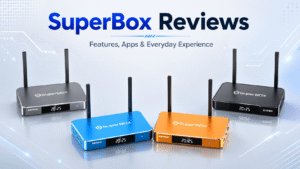
SuperBox is now a well-known name in the TV box market, with current models such as the SuperBox S7 Max and SuperBox S7 Ultra offering Android 12, Wi-Fi 6, voice control, Gigabit Ethernet, and the latest S7 interface.
In our SuperBox reviews, we focus on the overall user experience — including setup, apps, interface, connectivity, and everyday use — rather than comparing individual models.
What Is a SuperBox?
For anyone wondering what a SuperBox is, the simplest explanation is that it is an Android‑based media box designed to add more smart entertainment features to your television.
A Super Box for TV connects to your television via HDMI and connects to the internet via Wi‑Fi or Ethernet. Once connected, the device provides its own TV‑friendly interface for compatible apps, media playback, online video, and other entertainment features.
That makes SuperBox useful for people who:
- Have an older TV with limited smart features
- Want a separate Android entertainment system
- Prefer more storage than many basic streaming sticks
- Want both Wi‑Fi and wired Ethernet
- Prefer voice navigation
- Want one box for apps, streaming and local media
How Does SuperBox Work?
Setting up a SuperBox TV box is relatively straightforward.
Connect the box to your TV using HDMI, connect the power supply, select the correct HDMI input, and then choose either Wi‑Fi or Ethernet during setup.
The setup process also allows users to adjust screen size and pair the Bluetooth voice remote.
SuperBox’s current setup documentation then guides users to its App Store, where compatible applications can be installed, and shortcuts can be added to the home screen.
This makes the box feel more like a dedicated Smart TV system than a traditional set‑top box. For most users, the entire process should be manageable without advanced technical knowledge.
SuperBox S7 Experience
The current S7 generation is the main focus for buyers in 2026.
Models including the SuperBox S7 Max and SuperBox S7 Ultra run Android 12 and offer features such as 4GB RAM, Wi‑Fi 6, Gigabit Ethernet, Type‑C connectivity, voice control and high‑resolution video decoding.
Rather than focusing solely on specifications, the more noticeable improvement is how the system feels during everyday use.
The newer S7 interface places commonly used features such as search, Favorites, recently viewed content and app shortcuts within easier reach. For a living‑room device used every day, that can matter more than small differences in processor specifications.
If you want a detailed breakdown of the differences between the S7 models, read our SuperBox S7 Ultra vs S7 Max vs S7 Pro comparison guide.
SuperBox Interface and Ease of Use
A TV box can have impressive specifications, but if it takes too many clicks to find an app or return to something you were watching, the experience quickly becomes frustrating.
The SuperBox S7 interface is designed for television use rather than resembling a standard Android tablet stretched across a large screen.
Navigation is organized around apps, entertainment sections, and shortcuts, while users can add frequently used applications directly to the home screen.
This is especially useful for households where several family members share the same television. Parents or older family members can keep commonly used apps easy to find without having to navigate complicated menus every time.
SuperBox Voice Remote
Voice control is another practical feature. Typing on a television with directional buttons is rarely enjoyable, particularly when entering long movie titles or search terms.
Current SuperBox models include Bluetooth voice remotes that can be paired during the initial setup. Once paired, supported voice commands can be used for searches and compatible applications.
SuperBox documentation also provides examples of voice commands for opening the TV, video, and playback functions.
For everyday use, voice control is one of those features that may seem minor on a specification sheet but becomes useful once you start using the box regularly.
SuperBox Apps: What Can You Install?
Because SuperBox is Android‑based, apps are an important part of the experience.
❓ Can you install YouTube on SuperBox?
Yes. YouTube can be used on compatible SuperBox devices, along with a range of other Android applications.
A current SuperBox channel and app information page lists mainstream services such as YouTube, Netflix, Pluto TV, Tubi, Plex and other compatible services. However, availability, subscriptions and regional access depend on each provider.
The built‑in app environment also lets you customize the box around your viewing habits rather than relying only on the apps preinstalled on your television.
This flexibility is one of the main reasons people continue to buy Super boxes for TV even when modern televisions already include Smart TV software.
What Channels Can You Watch on SuperBox?
Another major topic is SuperBox channels and the SuperBox channel list.
SuperBox TV Box offers a broad live TV lineup through its Blue TV ecosystem, with current channel lists covering U.S., Canadian, sports, news, movies, kids, and international programming.
Examples include ABC, CBS, NBC, CNN, Discovery, HBO, ESPN+, NFL Network, NBA TV, NHL Network, Sky Sports, CBC, CTV, TSN, and Sportsnet. Current listings show more than 2,000 live channels on supported models such as the SuperBox S7 Max and S7 Ultra, although exact channels may change over time.
Wi‑Fi 6 and Gigabit Ethernet
A streaming box depends heavily on the quality of your home network.
Current SuperBox S7 hardware supports dual‑band Wi‑Fi 6, giving users access to both 2.4GHz and 5GHz wireless connections.
For homes where the router is close to the television, Gigabit Ethernet provides another option.
This flexibility is useful because no single connection method works best in every household.
- Wi‑Fi is convenient and avoids additional cables.
- Ethernet is often preferred when users want a stable wired connection, particularly when the television and router are located near each other.
❓ SuperBox not connecting to Wi‑Fi?
The first steps should be simple: restart the box and router, check the password, try both wireless bands, and test Ethernet if available. You usually do not need to factory reset the device immediately.
Time Shift and Everyday Convenience
One of the features promoted heavily with the current S7 generation is Time Shift.
Current S7 product information describes an extended playback window that can allow supported recent programming to be revisited without requiring traditional manual recording.
This is particularly convenient for users who cannot always watch something at its original broadcast time. Instead of planning every viewing session around a schedule, compatible playback features provide more flexibility.
Whether this becomes an important feature depends on how you use your TV, but for households that regularly watch scheduled programming, it can be more useful than another small increase in hardware specifications.
Storage and Local Media
Storage is another area where a full SuperBox TV box has an advantage over many entry‑level streaming devices.
Current models are available with different storage capacities, including the SuperBox S7 Max and SuperBox S7 Ultra. More internal storage provides room for compatible applications, cached files, and other system data.
SuperBox also supports USB connectivity, which can be useful for users who keep personal movies, photos, or other local media. For users who want the TV box to serve as a broader entertainment hub, having additional space provides more flexibility over time.
Is SuperBox Easy for Families?
The combination of a TV‑focused interface, voice remote, Favorites, and application shortcuts makes SuperBox approachable for everyday household use.
Older users may appreciate voice search because it reduces the need to type with the remote.
Families can keep their most frequently used applications visible on the home screen.
And households with several connected devices can choose between Wi‑Fi 6 and Ethernet depending on their network setup.
SuperBox is therefore most appealing when multiple people in the household share the same television rather than when the box is being purchased for only one specific app.
What If SuperBox Is Not Working?
Like any internet‑connected media device, occasional problems can happen.
Common issues include:
- Wi‑Fi connection problems
- Apps loading slowly
- Remote pairing problems
- No picture after changing HDMI inputs
- Temporary app errors
Most problems should first be approached with basic troubleshooting.
Restart the box, check the internet connection, reconnect the HDMI cable, and make sure the correct TV input is selected.
If an app is causing the issue, restarting or updating the application may be more appropriate than resetting the entire device.
Who Is SuperBox Best For?
SuperBox makes the most sense for people who want more flexibility from their television.
It is particularly suitable if:
- Your TV’s built‑in system feels outdated
- You want an Android‑based TV box
- You prefer both Wi‑Fi and Ethernet options
- Voice search is important to you
- You want more room for compatible apps
- Several family members share the same television
- You want to play local media as well as use online apps
SuperBox Reviews 2026: Is SuperBox Worth It?
Yes, for users looking for a flexible Android‑based television box, the overall package remains attractive. Current SuperBox devices combine Android 12, Wi‑Fi 6, Gigabit Ethernet, voice navigation, expandable media options and a TV‑focused interface in one compact device.
The strongest part of the SuperBox TV box experience is not one individual specification, but the combination of easy setup, everyday usability, flexible connectivity, and entertainment features.
If you are ready to choose a SuperBox for your home, you can visit our SuperBox official store to view the latest models, current pricing, and available offers.
Whether you are considering the SuperBox S7 Max, S7 Ultra, or another SuperBox model, you can compare the latest options on our homepage and choose the one that best fits your viewing needs.
Frequently Asked Questions
Q: What operating system does SuperBox S7 run?
A: SuperBox S7 Max and S7 Ultra run Android 12 out of the box.
Q: Do I need a smart TV to use SuperBox?
A: No. Any TV with an available HDMI input will work; you only need internet access.
Q: Does SuperBox support both Wi‑Fi and wired Ethernet?
A: Yes. S7 generation supports Wi‑Fi 6 dual‑band plus a Gigabit Ethernet port for a stable wired network.
Q: Can I play local movies and photos from a USB drive?
A: Yes, USB connectivity allows you to play your local media files directly on TV.
Q: What should I do when SuperBox has network issues?
A: Restart the box and router, verify the Wi‑Fi password, test 2.4G /5G bands, try Ethernet. Avoid factory reset as first step.
Q: Is SuperBox worth buying in 2026?
A: It is highly recommended for families wanting a flexible Android TV experience, a great interface, and dual network options.