

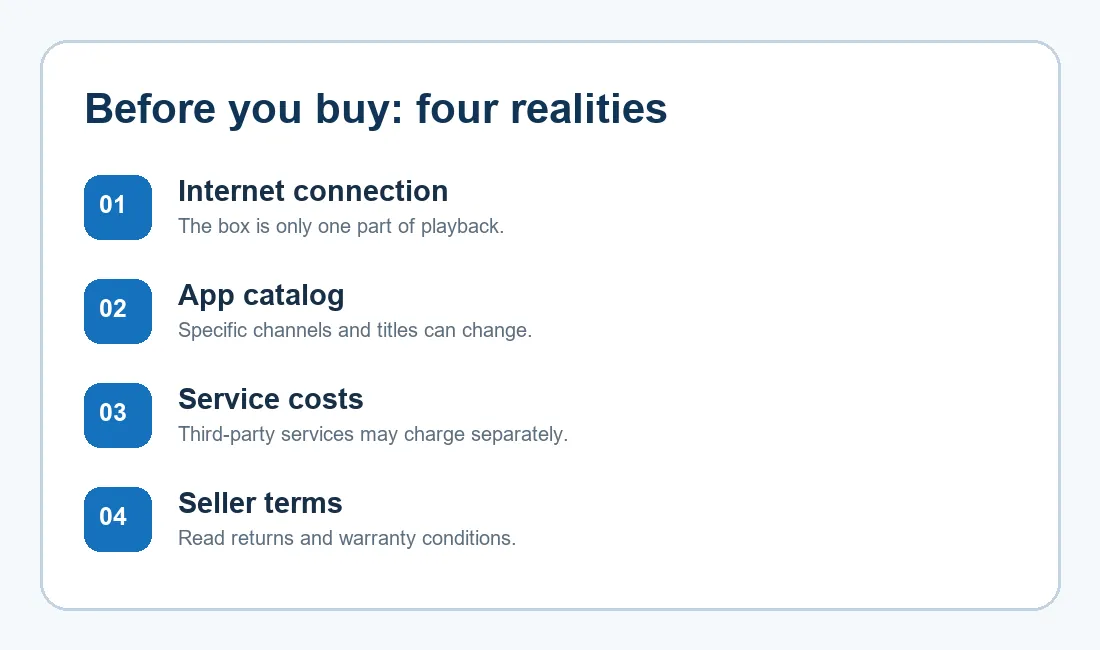
Quick answer: The main SuperBox S8 downsides are practical rather than mysterious: streaming depends on your home internet and the source app, channel catalogs can change, some outside services charge separately, and the right hardware model depends on your TV and viewing habits. Those limits do not make a SuperBox S8 a poor choice. They do mean that a good purchase starts with clear expectations.
If you are considering a SuperBox TV box for your living room, start with the problems you want it to solve. Then compare the current SuperBox S8 choices by storage, remote, connectivity and price. This guide is a reality check for shoppers who want the benefits without treating any streaming box as a magic replacement for every service.
1. SuperBox S8 downsides start with the connection
The SuperBox S8 Max listing includes dual-band Wi-Fi 6 and Gigabit Ethernet, but those capabilities do not control the quality of your internet plan, router placement or a particular streaming source. A fast-looking hardware specification will not prevent buffering if the underlying connection is unstable.
If your TV is several rooms from the router, try to plan the connection before buying. A wired route can remove some wireless uncertainty when it is practical; otherwise, test the signal where the television actually sits. Our SuperBox S8 Wi-Fi versus Ethernet guide explains the room-by-room trade-off in more detail.
A sensible expectation is a capable device on a dependable network, not a guarantee that every stream will start instantly. Content providers can have interruptions even when your own connection is working.
2. The app and channel list is not a permanent promise
SuperBox’s built-in apps are a major reason people consider the device. They can bring together live viewing and on-demand discovery across news, sports, films, television and other categories. Still, an app name, a channel directory and the availability of a particular program are three different things. Catalogs, regional access and playback can change.
For a grounded look at the distinction, read our SuperBox S8 channel list and streaming guide. It explains why a published list is a snapshot rather than a promise that every listed stream will always play.
Another frustration can occur when an expected app is absent or looks different after an update. The right response is to check the on-device supported source and ask support when needed, rather than download an unknown APK. The SuperBox S8 App Store missing guide covers that situation without relying on risky download links.
3. No mandatory device fee is not the same as free internet or free Netflix
A SuperBox S8 purchase is different from signing up for a mandatory monthly fee for the box itself. Your internet service still has its own cost. A separate streaming service may also require an account or paid membership, and some content may have its own access conditions. Before you buy for one particular show or sport, check that program’s current availability and the service’s terms.
There is also a legal distinction between owning a general-purpose TV box and having the rights to a specific stream. The device alone does not establish that every app or every broadcast is authorized. Our is superbox legal article explains why those questions should be considered separately.
That is the most useful way to understand the appeal of SuperBox: broad content discovery through supported apps, without treating a changing app catalog as a lifetime contract for any particular channel or paid platform.

4. The TV matters as much as the decoder number
Product listings mention high-resolution decoding. That is a capability of the hardware, not a promise that every video will look that sharp on every screen. What you actually see depends on the source file or stream, your television’s supported resolution, the app and the connection. A television with an older HDMI setup can also affect which output settings make sense.
Before paying extra for a feature your current screen cannot show, check your display and available inputs. The SuperBox S8 older-TV checklist is useful if you are buying for a spare room or an older set.
5. Storage and convenience differ across the SuperBox S8 line
One model does not fit every household. The current SuperBox S8 Max listing specifies 4GB memory and 64GB storage. The SuperBox S8 Ultra listing offers 128GB storage and a backlit voice remote. Those are meaningful differences if you keep more compatible apps or local files, or often use the remote in a dim room. If you watch mostly through a few apps, extra storage may be less valuable to you.
Our SuperBox S8 storage guide helps separate storage needs from advertising numbers. It also explains why a larger capacity is not itself proof of better internet performance or access to more content.
For a practical middle choice, the SuperBox S8 Max gives shoppers a clearly listed 64GB configuration, voice remote and both wireless and wired networking. Check the current listing for the exact price and included items before placing an order.
6. Retailer policies deserve the same attention as features
A return window is not the same as a no-questions refund, and a warranty is not an unlimited guarantee. Read the store’s current conditions, keep your order details, and ask who will handle an eligible claim. This matters especially when you buy a device as a gift or for someone who will need help setting it up.
Our SuperBox S8 warranty and support explainer discusses coverage, claims and returns.
If you are comparing sellers, the SuperBox S8 seller checklist offers another way to evaluate authenticity, terms and after-sales contact before checkout.

So who is SuperBox S8 a good fit for?
It makes sense for a household that wants a dedicated television box, can provide a reliable connection and likes the idea of exploring supported live and on-demand apps from one device. It is especially appealing when a voice remote, Ethernet option or larger storage addresses a real need in your home.
It is a weaker fit if your decision depends on one specific channel staying available forever, a paid third-party service becoming free, or a promise that hardware alone will eliminate every interruption. In that case, verify the exact app and viewing rights first. A brief check now is more useful than an optimistic feature list.
Frequently asked questions
Is SuperBox S8 completely free after purchase?
The device does not carry a mandatory monthly device subscription under the retailer’s current description. Internet access and some third-party services can still have separate charges. Check the terms of any app you plan to use.
Does more storage mean more channels?
No. Storage gives room for compatible apps and local data; a channel’s availability is determined by the relevant app, service and region. Compare models for your own storage habits rather than assuming capacity changes the catalog.
Should I choose SuperBox S8 Max or SuperBox S8 Ultra?
Start with the SuperBox S8 Max if 64GB storage and its listed features match your needs. Consider the SuperBox S8 Ultra if the listed 128GB storage and backlit remote would make a practical difference. Confirm the latest specifications and final checkout terms before deciding.
Final thought
The most useful answer to “What are the downsides of SuperBox S8?” is a short checklist: reliable internet, realistic expectations about changing apps, a TV that fits the device, the right model capacity and a seller whose policies you understand. If those points line up, the current SuperBox S8 lineup for U.S. buyers gives you several ways to build a comfortable streaming setup.
If you decide to order, you can try code SP10 at checkout for a 10% discount on eligible purchases; confirm the code applies to your order before paying. For a balanced 64GB option, review the SuperBox S8 Max details below.