

SuperBox S8 Wi-Fi vs Ethernet comes down to a practical question: which connection is more reliable at your TV? The answer depends less on the label on your router and more on where your TV sits, how busy your home network gets, and whether you can run a cable neatly. If you are still choosing a device, start with the SuperBox TV box lineup.
Then compare available SuperBox models before you unpack anything, and use this guide to plan the connection.
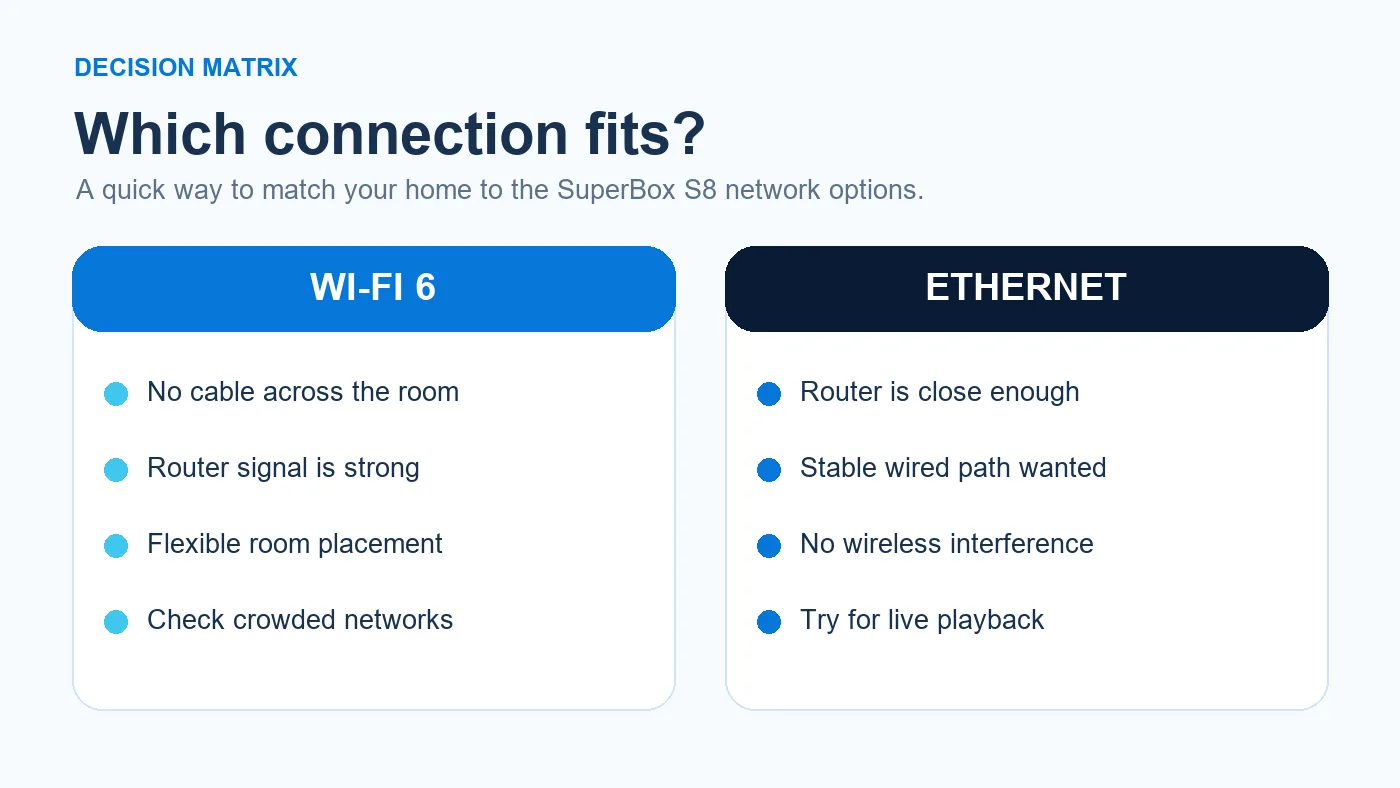
The short answer: choose Ethernet when a practical cable route exists and connection consistency matters most. Choose Wi-Fi when the TV is far from the router or you want a clean, cable-free installation. A good Wi-Fi signal can work very well; a cable is not a cure for a slow internet service or a struggling streaming app.

SuperBox S8 Wi-Fi vs Ethernet: what the hardware supports
The current product listings for both the SuperBox S8 Max and SuperBox S8 Ultra specify dual-band Wi-Fi 6 and a Gigabit Ethernet port. That gives either model a choice of wireless or wired networking. “Wi-Fi 6” describes the wireless capability of the box; it does not mean you must own a Wi-Fi 6 router, nor does it promise a particular streaming speed in every home.
For a first-time setup, our SuperBox setup guide walks through the essentials, including connecting the box to a display and network. Whether you type a Wi-Fi password or attach a network cable, the TV still needs an HDMI input, and your internet connection still has to reach the router.
When Wi-Fi is the sensible choice
Wi-Fi is often the simplest solution in a bedroom, apartment, or living room where the router sits across the house. There is no long cable to route along a baseboard, around a doorway, or under a rug. It also makes it easier to move the box between TV setups later. For many households, that convenience is worth more than the theoretical advantage of a wired connection.
Signal quality matters, though. A TV cabinet, thick wall, crowded wireless channel, or distant router can all weaken reception. If the box has a choice between a 2.4 GHz and 5 GHz home network, a stronger, more reliable signal is the better choice; do not assume 5 GHz will always win through multiple walls. Test your actual viewing location rather than relying on a speed test performed beside the router.
If you are new to standalone streaming boxes, our what is superbox explainer shows how the box connects your TV to apps and the internet. That distinction matters here: the network connection belongs to the box, while HDMI carries its picture to the television.
If you are positioning a new box, the SuperBox S8 Max unboxing and setup walkthrough can help you think through where the box, HDMI lead, and power outlet will go. Place the device where it has reasonable wireless reception and ventilation; hiding it behind a large metal cabinet is rarely helpful.
When Ethernet earns its extra cable
Ethernet is attractive when your router, mesh node with a wired backhaul, or network wall jack is close to the TV. A physical cable reduces dependence on the local Wi-Fi signal and can make the connection steadier during a busy evening. It is especially worth trying when the box streams reliably near the router but struggles at its usual TV location.
The word “Gigabit” on a product listing describes the port’s network capability, not a guarantee that every video will run at that rate. Your internet plan, the app, its content source, and congestion outside the home can still limit playback. An Ethernet cable cannot repair a service outage or make unavailable content appear.
The SuperBox S8 Ultra setup guide covers the physical setup of the higher-storage model. If you already have an Ethernet cable within reach, try it first; it gives you a useful baseline for judging whether Wi-Fi is the source of a problem.
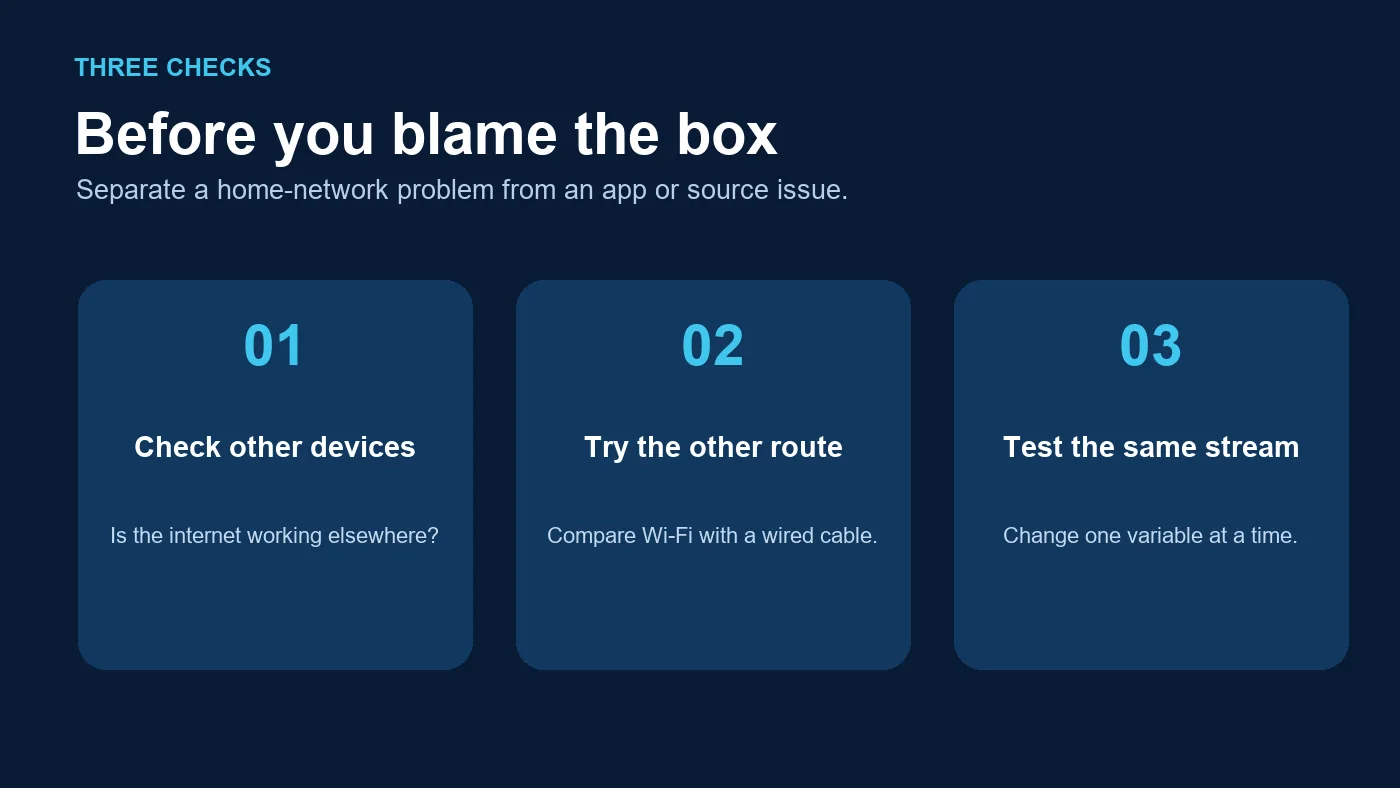
A practical three-check test before buying new network gear
1. Compare the same app on the same box
Watch a familiar program for a few minutes over Wi-Fi. If an Ethernet cable is available, repeat the test on the same SuperBox S8, using the same app and similar viewing conditions. If both connections behave the same way, the wireless link may not be the cause of the issue.
2. Check whether other devices are affected
Try a phone or laptop on the same home network. If everything is slow, look at the router and internet service before blaming the SuperBox. If only the box is affected, confirm that it is connected to the intended network and restart the router and box using their normal power controls. The site’s SuperBox support resources are the right next stop when the problem persists.
3. Separate “no internet” from “one app is buffering”
If the home screen or other apps can connect while one stream stalls, a cable swap may not fix that specific content source. Conversely, if the box cannot connect to the internet at all, start with password accuracy, the router connection, and the physical cable or Wi-Fi signal. The SuperBox buffering and not-working checklist expands on the most common symptoms without treating every playback issue as the same fault.
What about an older TV or a different SuperBox S8 model?
Your TV’s age does not decide whether the box can use Wi-Fi or Ethernet; the TV receives video from the SuperBox through HDMI. If you are unsure whether your display has the right input, our older-TV HDMI checklist addresses that separate compatibility question.
Network choice is also a poor reason, by itself, to pay for a higher model when both models list Wi-Fi 6 and Gigabit Ethernet. The SuperBox S8 Ultra lists more internal storage than the SuperBox S8 Max; that difference does not make your home internet faster. For a purchase decision, start with your storage needs and features, then consider your room’s network. Our SuperBox S8 Max buying guide explores the everyday-use case.
Verdict: use the connection that is stable in your room
Choose Ethernet if a short, tidy cable is available and you want a dependable starting point. Choose Wi-Fi if the router is elsewhere and the box receives a solid signal. If buffering persists on both, investigate the broader connection or app rather than assuming a more expensive box or faster port is the answer. You can revisit the current SuperBox S8 selection after working out your setup.
Shopping for a box that offers both connection options? The SuperBox S8 Ultra provides Wi-Fi 6 and Gigabit Ethernet as well as the larger listed storage option. The published SP10 coupon currently gives 10% off eligible SuperBox S8 devices at checkout; check the displayed cart total before you pay.