
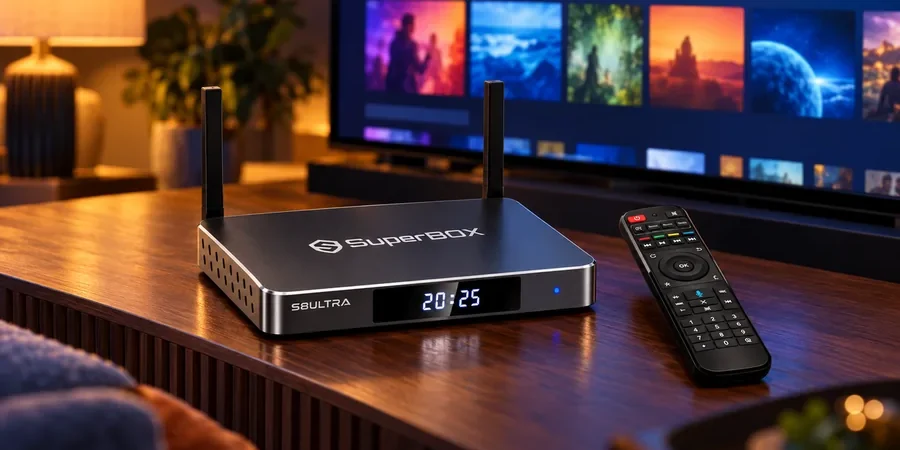
Yes, you can watch Netflix on SuperBox S8. Install the Netflix app where it is offered on your device, then sign in with your own active Netflix account to watch the movies and shows included in your plan. A SuperBox TV box also has its own live and on-demand viewing apps, so you can keep several kinds of entertainment on one TV. Start with the current SuperBox S8 selection if you are comparing models.
If you are comparing models, the available SuperBox TV boxes show the current range. Below, we explain how Netflix fits into the SuperBox S8 experience, what you pay Netflix for, and what to check if the app is not available on your particular device.
Can you watch Netflix on SuperBox S8?
Yes. SuperBox sellers describe installing and using Netflix on the SuperBox S8 series. Once the app is available and you sign in with your personal paid account, you can browse and watch Netflix on your television through the box. The SuperBox purchase does not include Netflix membership, and Netflix controls its own catalog, subscription plans, and app requirements.
The practical distinction is between being able to watch Netflix and a promise that every SuperBox S8 model will deliver the same app version or video quality. Netflix does not list the SuperBox S8 series by name in its public device guide, so we would not promise Netflix certification, HD, or 4K on every unit. Availability and playback quality can depend on the exact model, software, region, Netflix plan, and Netflix app version.
Is Netflix free when I buy a SuperBox?
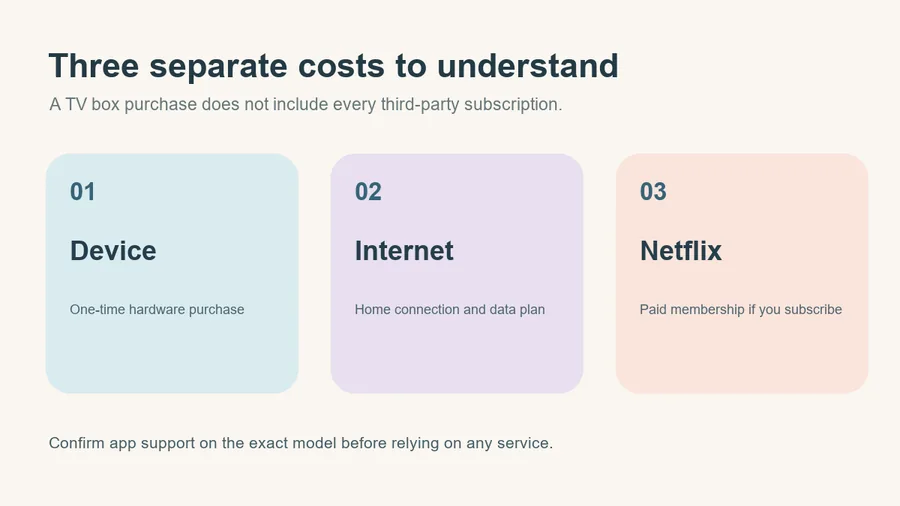
No. Netflix is an independent subscription service that requires its own paid account. SuperBox provides the hardware and app platform; you sign in with your personal Netflix credentials to watch the Netflix titles available under your plan. The SuperBox device itself is a one-time purchase with no mandatory monthly SuperBox device fee under the current store description, while home internet and any Netflix membership are separate costs.
Our guide to SuperBox subscription costs explains that separation in more detail. It is especially useful when a listing casually says “no monthly fees” without specifying whether it means the hardware, a built-in app, a third-party service, or the home internet connection.
Netflix alongside SuperBox’s built-in viewing apps
The SuperBox S8 range is promoted around Blue TV and Blue VOD, where users can browse live and on-demand categories. Current listings describe choices across news, sports, series, movies and other programming. The precise catalog, availability, and rights can change by app, region and date. That viewing experience is a reason some shoppers consider a SuperBox even when they already have a smart TV, but it should not be confused with a Netflix membership.
For a concrete model example, the SuperBox S8 Max listing describes its Blue TV and Blue VOD apps. Netflix is a separate app with its own sign-in and subscription. That combination can suit a household that wants SuperBox’s live and on-demand choices while keeping an existing Netflix account.
For a realistic look at the separate content question, the SuperBox S8 channel list and streaming guide explains how to interpret channel claims.
The Blue TV and Blue VOD experience is also easier to understand after you separate the hardware from the apps. The device provides the interface; the app and its current catalog provide the viewing choices.
If you are new to the device, how superbox works is a useful introduction to that relationship.
The distinction matters for safety as well as expectations. A device can be lawful to purchase, while a specific app or stream still needs appropriate authorization. Our is superbox legal article covers that distinction. We would not recommend hunting for unofficial “free Netflix” downloads or a shared account that a seller cannot legitimately provide.
How to watch Netflix on SuperBox S8
Start by connecting your SuperBox S8 to your TV and internet. Open the app store available on your unit and look for the Netflix app from a trusted source. If it is offered, install it and sign in with your own paid Netflix account. You can then choose from the Netflix titles available to your account and region. The exact menu labels can vary by model and software version.
If Netflix does not appear in the store, do not assume the box is defective or install an unknown APK from a search result. Check the SuperBox S8 App Store checklist, then contact the seller with your full model name and software version. Use a trustworthy app source and keep your Netflix account credentials private.
After signing in, try a title that is included in your plan. App launch, sign-in, and playback are the practical checks. If picture quality matters, ask the seller what has actually been tested on your exact SuperBox S8 model; hardware video-output specifications alone do not prove Netflix streams at that resolution. Netflix may change device requirements and app availability over time.
Questions buyers ask
Do I need a separate Netflix account?
Yes. Sign in to the Netflix app with an active personal Netflix account. If you do not already subscribe, you need to choose a Netflix plan separately. Buying SuperBox S8 does not create an account or make Netflix free.
What if Netflix will not open or play?
First confirm that the device is online and that your Netflix membership is active. An outdated app, software version, compatibility issue, or temporary network problem can also interrupt playback. If Netflix is missing or reports that the device is unsupported, ask the seller or Netflix support about the exact model and app source; do not rely on an unverified APK or a generic factory-reset tutorial.
Does SuperBox S8 guarantee Netflix HD or 4K?
No specific Netflix resolution is guaranteed by the SuperBox hardware specification alone. Netflix determines app compatibility and stream quality based on the device, plan, title, connection, and its current requirements. If HD or 4K Netflix is essential, ask for a current demonstration or written confirmation for the exact model before ordering.
What to check before choosing a model
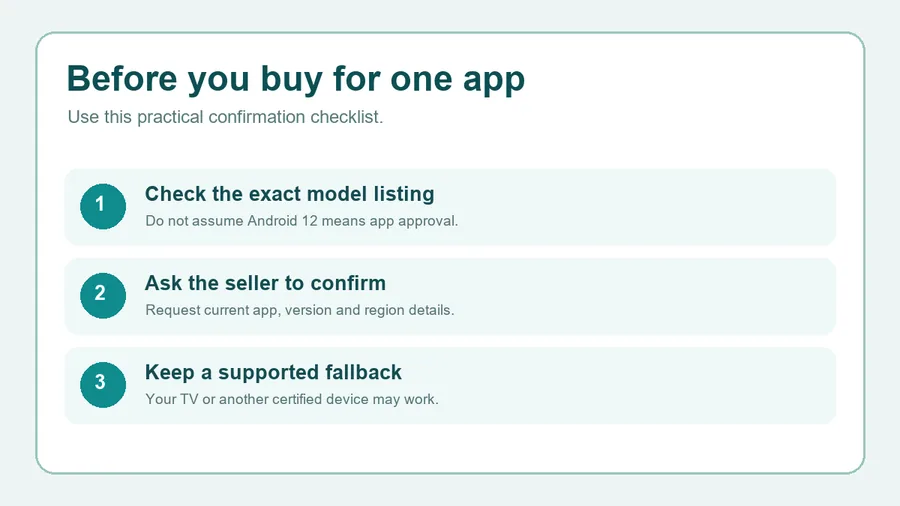
SuperBox S8 can be attractive when you want Netflix alongside the box’s other viewing apps on one television. Before buying, confirm the full model name, where its Netflix app is obtained, whether your account signs in, and the video quality you expect. A seller can describe what they have tested, while Netflix remains responsible for its own app and membership terms.
If you already own a SuperBox S8, take note of the model name shown on the unit or packaging and the software version visible in its settings before contacting support. Describe what happens when you open the app: whether it is absent, fails to install, stops at sign-in, or plays at an unexpected quality. Those details help support identify the problem without asking you to perform risky steps. Do not share your Netflix password or verification codes with a seller or a public forum.
The same check is useful for any paid app you rely on. Write down the two or three services your household actually watches and confirm those services on the exact device. That gives you a clearer buying decision than a blanket promise that every Android app will work in every configuration.
A sensible buying decision
If you want to use Netflix together with SuperBox’s own live and on-demand apps, a SuperBox S8 can bring both experiences to the same TV input. Review the SuperBox S8 trade-offs as well, especially if a particular third-party app or video quality is essential to your household.
Support matters when an app changes after purchase. Keep your order details and model information so the seller can identify the exact device.
The SuperBox S8 support and warranty policy explains the retailer’s after-sales path. A sensible purchase is the one that handles the programs your household actually watches, with clear help when it does not.
When that combination suits your household, revisit the SuperBox S8 model options. The store currently lists code SP10 for 10% off eligible SuperBox S8 Max orders; check that the discount appears at checkout. Netflix still requires its own paid account.
Related guide: Explore the SuperBox S8 buying guide