

Quick answer: SuperBox S8 Pro is the lowest-priced model in the current SuperBox S8 family. Its listed 4GB of RAM, 32GB of eMMC storage, Wi-Fi 6, Gigabit Ethernet and voice remote cover the basics many households actually use. The question is whether 32GB and its particular app features leave enough room for your routine. This buying guide looks at that decision without pretending that a specification sheet can predict your internet speed or every channel you will receive.
Start with the current SuperBox S8 lineup if you are new to the family.
The available SuperBox models let you compare current listings before you choose a configuration. For the rest of this guide, we will focus on how SuperBox S8 Pro fits into an ordinary living room.
What does SuperBox S8 Pro include?
The current listing for SuperBox S8 Pro specifies Android 12, a quad-core Cortex-A53 processor, 4GB of DDR memory, 32GB of eMMC storage, dual-band Wi-Fi 6, Gigabit Ethernet, Bluetooth 5.2, a USB 3.0 port and a USB-C port. The package is described as including a voice remote. These are listed specifications, not measurements from our own lab.
For a typical household, the practical appeal is straightforward: connect a separate streaming box to the TV, use its own interface and compatible apps, and choose Wi-Fi or a wired Ethernet connection. You do not need to replace a working television just to try a different media interface. You do need a usable HDMI input, power and internet service. No box can solve an unreliable home connection on its own.

Marketing pages often emphasize a maximum decoder resolution. That number does not mean every program will play at that resolution. The source, app, HDMI path and television all affect the final picture. If you are buying for an older screen, it is wiser to verify the input and display first than to buy on a “6K” label alone.
Is 32GB enough for your apps?
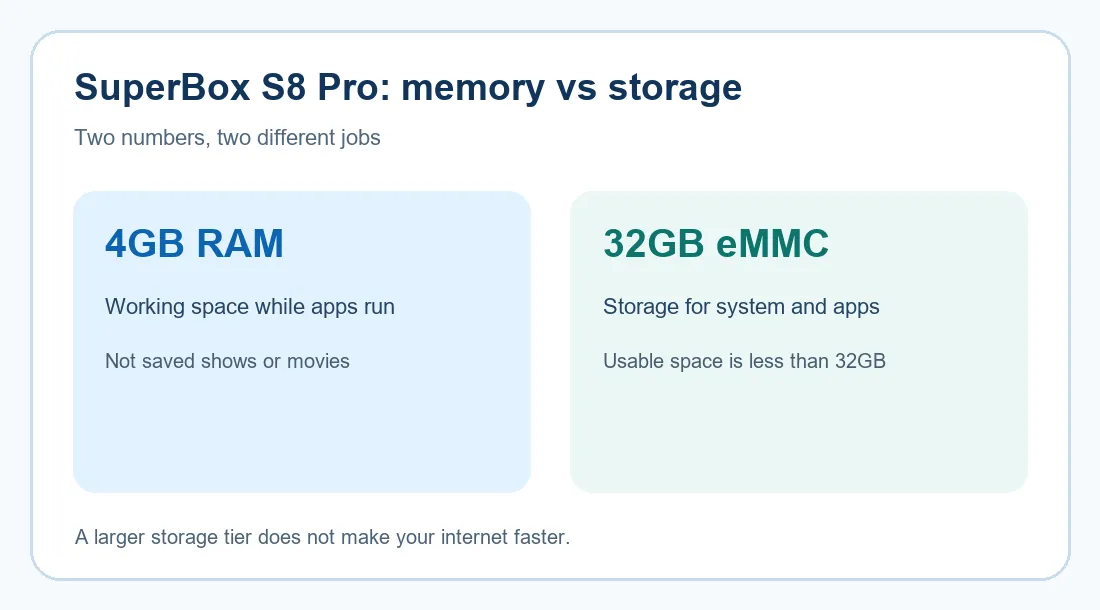
SuperBox S8 Pro pairs 4GB of RAM with 32GB of advertised eMMC storage. RAM helps the system run applications; storage holds the operating system, installed apps and any supported local data. The full 32GB is not available to the owner because system files take part of it. A larger storage figure also will not speed up your Wi-Fi or make an unavailable stream appear.
If your household mostly opens a small set of familiar apps, 32GB may be reasonable. If you expect to install many compatible apps or keep files on the device, leave more headroom. Our SuperBox S8 storage guide explains how to think about the capacity before paying for an upgrade.
What can you watch on SuperBox S8 Pro?
The model is part of a lineup promoted around the Blue TV live-channel app and Blue VOD on-demand browsing. That combination is attractive to buyers who want live and on-demand choices in one TV setup. Our SuperBox S8 channel list guide explains the categories shown in published directories and why a directory is only a snapshot.
Check the current applications on the actual device before you rely on a particular network, movie, sports event or regional feed. Availability can change with app updates, geography and content rights. A channel name in a dealer list does not prove that every program is currently available or authorized. Likewise, the device’s purchase price is separate from subscriptions charged by independent services you may choose to use.
If you plan to start with Blue TV or Blue VOD, the SuperBox S8 app setup walkthrough is the more useful next step than downloading unfamiliar APK files from search results. App menus can change, so follow what your unit displays and use the seller’s support channel if the expected app is missing.
Will it work well in your room?
SuperBox S8 Pro lists both dual-band Wi-Fi 6 and Gigabit Ethernet. Ethernet can be convenient when a cable already reaches the TV cabinet; Wi-Fi can be simpler when the router is elsewhere. Neither option guarantees smooth playback if the upstream internet service or a particular app is struggling. Test the connection where the box will actually sit, not just beside the router.
Our SuperBox S8 Wi-Fi versus Ethernet guide helps you choose based on your room layout. Think through the remote as well: the included voice remote is useful for navigation, but the television’s own remote may still be needed for input selection, sound equipment or TV-specific controls.
When should you choose a different SuperBox S8 model?
Two common reasons to move above SuperBox S8 Pro are more storage and a viewing feature your household will actually use. The store currently lists SuperBox S8 Plus with 64GB of storage. If 32GB looks tight, our SuperBox S8 Plus versus SuperBox S8 Pro comparison gives that decision more space than a short spec table can.
SuperBox S8 Max also lists 64GB, but its stated Multi-View capabilities differ from the limited version described for SuperBox S8 Pro. This matters only if your household will regularly use simultaneous views in supported apps. The SuperBox S8 Pro versus SuperBox S8 Max guide is a useful follow-up for sports households; check current app behavior before assuming that every channel supports the same layout.
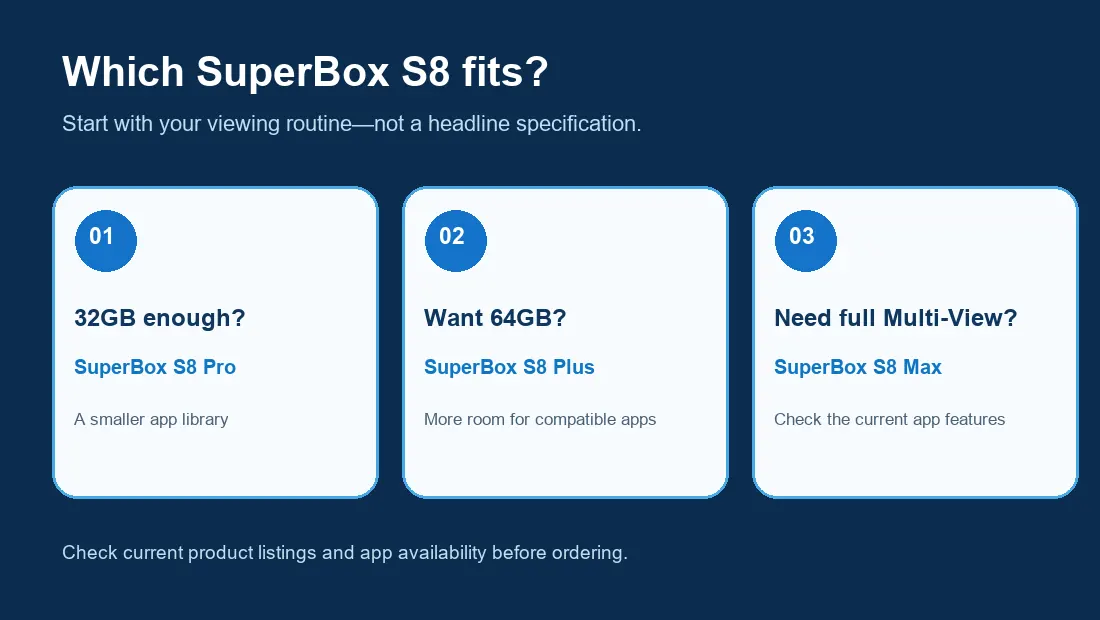
Price can help make the choice concrete. At the time of this draft, this retailer listed SuperBox S8 Pro at $359, SuperBox S8 Plus at $379 and SuperBox S8 Max at $399. Prices and promotions change, so use the live listing at checkout rather than treating this paragraph as a permanent quote. A $20 or $40 step may be worthwhile if it solves a real capacity or viewing need; otherwise, the entry model keeps the purchase simpler.
Who should buy SuperBox S8 Pro?
SuperBox S8 Pro is a sensible starting point for someone who wants the SuperBox S8 interface, a voice remote, wired and wireless network choices, and a modest app library. It is a weaker fit if your main priority is larger internal storage, the fuller Multi-View features listed for higher models, or a backlit remote. Choose based on your household’s habits, not on which specification sounds most dramatic.
Before ordering, check seller support and return terms. The SuperBox S8 warranty and support guide explains the retailer’s stated policy and what to keep for a possible claim.
Also verify the seller, payment terms and checkout total before you commit. Our SuperBox S8 retailer checklist covers the questions to ask when an offer looks attractive but the seller details are unclear.
For a final look across the family, see the SuperBox S8 buying options. If SuperBox S8 Pro matches your needs, the current promotion offers code SP10 for 10% off eligible orders; enter it at checkout and confirm that the discount applies before paying. Promotions and exclusions can change.