
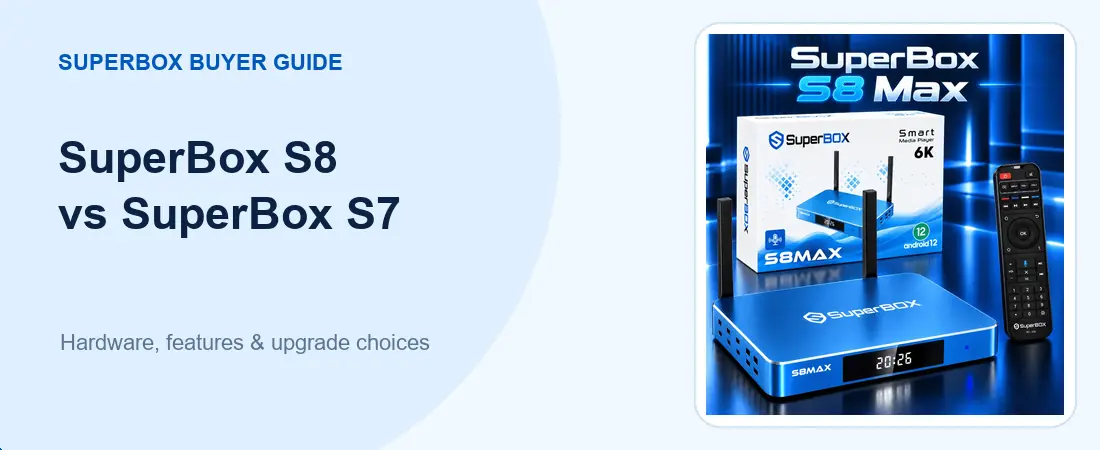
Thinking about a SuperBox S8 vs SuperBox S7 upgrade? Start with the exact model already in your living room. An owner of a SuperBox S7 Max has a different decision from someone using a SuperBox S7 Pro, and the words “new generation” do not tell you how either box will perform on your TV. This guide compares documented specifications and the viewing tools that may actually change your day-to-day experience.
If you are new to the brand, browse the current SuperBox TV box lineup before choosing a generation.
You can then compare the available SuperBox models side by side. The point is to pay for a feature you will use, not merely a newer number on the case.
The short answer: when is an upgrade worthwhile?
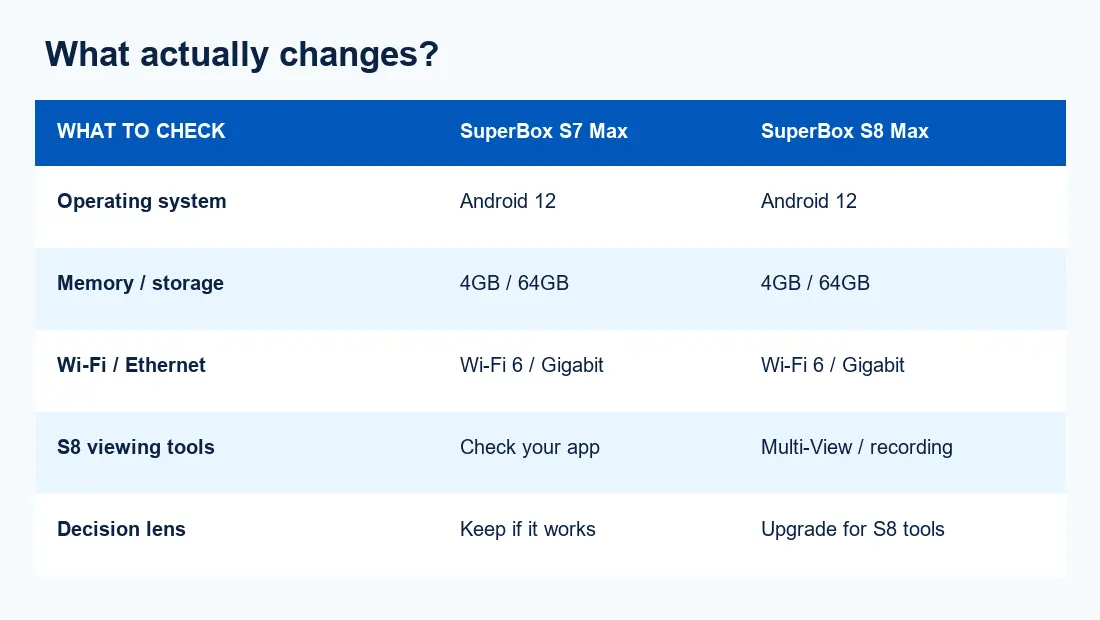
For many SuperBox S7 Max owners, the published core hardware is surprisingly close to that of the SuperBox S8 Max: both listings show Android 12, a quad-core Cortex-A53 processor, 4GB memory, 64GB eMMC storage, Wi-Fi 6 and Gigabit Ethernet. The clearer reason to consider the SuperBox S8 Max is its S8-era viewing experience—listed features include Multi-View, picture-in-picture, built-in recording and a redesigned interface. Their usefulness depends on the app, software version and content you actually use; none is a promise that every channel or third-party service will support every tool.
By contrast, if you mainly watch one program at a time and your current SuperBox S7 Max works reliably, an upgrade may be unnecessary. For a broader view of the whole generation before drilling into this comparison, our SuperBox S8 review covers the four-model lineup.

SuperBox S8 Max vs SuperBox S7 Max: the verified basics
This is an apples-to-apples comparison because both are 64GB models. The table reflects the current product listings on this store rather than claims about benchmark speed. Storage is not RAM, and a decoder’s maximum supported format is not a guarantee that your particular stream or television will display at that resolution.
| Specification | SuperBox S7 Max | SuperBox S8 Max |
|---|---|---|
| Operating system | Android 12 | Android 12 |
| Processor / GPU | Cortex-A53 / Mali-G31 MP2 | Cortex-A53 / Mali-G31 MP2 |
| Memory / storage | 4GB DDR / 64GB eMMC | 4GB DDR / 64GB eMMC |
| Connectivity | Wi-Fi 6, Gigabit Ethernet, Bluetooth 5.2 | Wi-Fi 6, Gigabit Ethernet, Bluetooth 5.2 |
| Listed S8 viewing tools | Check the exact S7 app/version | Multi-View, picture-in-picture, built-in recording |
Those shared specifications are why we would not describe the SuperBox S8 Max as a guaranteed CPU-speed or Wi-Fi-speed upgrade over the SuperBox S7 Max. In a SuperBox S8 vs SuperBox S7 decision, that distinction matters more than a generic “faster” claim. If a seller makes a speed claim, ask for a comparable test under the same network and software conditions. You can check the current SuperBox S8 Max listing against the device you own; current prices and stock should be confirmed at checkout because listings can change.
The available S7 choices also differ from one another. A SuperBox S7 Ultra has 128GB eMMC storage, while the SuperBox S7 Max has 64GB. If storage is your real reason to upgrade, you should compare the exact capacities rather than assume any S8 automatically has more. Our SuperBox S7 model comparison explains those older-model trade-offs.
What may feel different in daily use
Picture a Sunday afternoon with two live events at once. The SuperBox S8 Max listing describes Multi-View and picture-in-picture, which can make switching between eligible streams more flexible than watching only one full-screen view. The same listing describes built-in recording. These are genuine reasons to look at the newer generation if you will actually use them, but confirm the specific app, content and regional availability first. A feature icon on a box cannot guarantee that a particular event can be displayed or recorded.
The redesigned S8 interface may also appeal if several people share the device. An interface preference is personal, however, and it is not the same thing as a measured processor improvement. Readers who want more detail about apps and channel navigation can see our superbox channels guide. Content availability and rights depend on the provider, software, region and service terms.
Internet reliability can matter more than either generation label. Both comparison models list Wi-Fi 6 and Gigabit Ethernet, but walls, router placement and local congestion can still cause buffering. If the S7 box freezes only during streaming, diagnose the connection before buying another device. Our SuperBox buffering and not-working guide helps separate connectivity problems from hardware problems.
Match the upgrade to your starting model
Already own a SuperBox S7 Max?
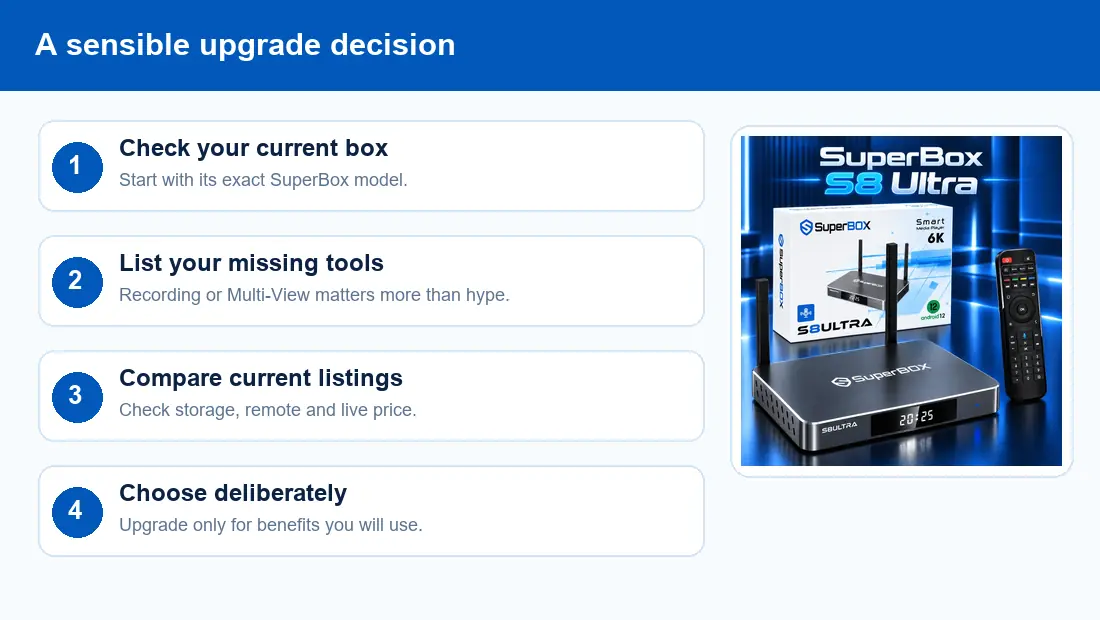
Keep it if your core uses—single-screen viewing, your current apps and normal navigation—still meet your needs. Consider the SuperBox S8 Max for its listed Multi-View, recording and newer interface, not because the spec sheet proves a faster processor. If the backlit remote and more local storage are more valuable than 64GB, compare the SuperBox S8 Ultra instead: its current listing specifies 128GB eMMC and a backlit voice remote.
Own a SuperBox S7 Pro or an older unit?
Here the first question is whether your current storage, remote and supported apps are limiting you. Compare your exact model’s listing and software, then calculate what you gain from the S8 model you would actually purchase. An upgrade may be appealing, but do not transfer the SuperBox S7 Max specifications to every S7 device. If you need a buying framework rather than another spec sheet, the SuperBox buying decision guide can help narrow the choice.
What about costs and setup?
Look at the live product price, not a remembered promotional number. The SuperBox S7 Max listing currently shows conflicting figures in different sections, so we are deliberately not quoting a firm S7 price here. Check the current checkout total for each option. If you are buying a second box for another room, that is a different decision from replacing a working one. A SuperBox TV box purchase also does not pay for your home internet or subscriptions to independent third-party services. Our SuperBox subscription explainer separates those costs.
Setup is generally a matter of connecting the correct HDMI input, power supply and a usable network, but your television and home arrangement matter. If a new box would be going to a parent’s or guest room, our SuperBox S8 Max unboxing and setup guide walks through the basic handoff. For model-specific assistance, ask the SuperBox support team before trying unverified reset or firmware instructions.
Two questions people ask before switching generations
Will a SuperBox S8 Max improve every stream?
No device can guarantee that result. Your TV resolution, source content, app version, available internet bandwidth and home-network stability still matter. The current S8 product page lists a decoder capability of H.265 up to 6K at 60 frames per second, but that describes supported processing, not the resolution of every program. If your present issue happens only in one app, check that app before replacing hardware.
Is a SuperBox S8 Ultra the automatic upgrade from a SuperBox S7 Ultra?
Not automatically. Both current Ultra listings specify 128GB of local storage and a backlit remote, so a storage-only argument is weak. Compare the specific S8 viewing tools and your own habits. If you rarely use recording or multiple simultaneous views, a working SuperBox S7 Ultra may remain the better value in your home.
SuperBox S8 vs SuperBox S7: the buying verdict
Upgrade when a listed S8 viewing feature, remote or storage option solves a real problem. Keep a healthy SuperBox S7 Max if it already does what you need. Both paths are reasonable; the stronger buying decision begins with the exact model, the exact feature and the current checkout terms. You can return to the SuperBox lineup for U.S. buyers to compare what is available now.