
If you already know that 64GB of storage is enough for your household, visit the SuperBox S7 Max product page to check current availability, shipping, and warranty information.
Contents
The Quick Answer: Which SuperBox Should I Buy?
- Best overall choice: SuperBox S7 Max for balanced storage, connectivity and price.
- Best premium choice: SuperBox S7 Ultra for 128GB storage and a backlit voice remote.
- Best value choice: SuperBox S7 Pro for the lowest entry price in the S7 Series.
- Best for most families: The S7 Max is usually the easiest model to recommend.
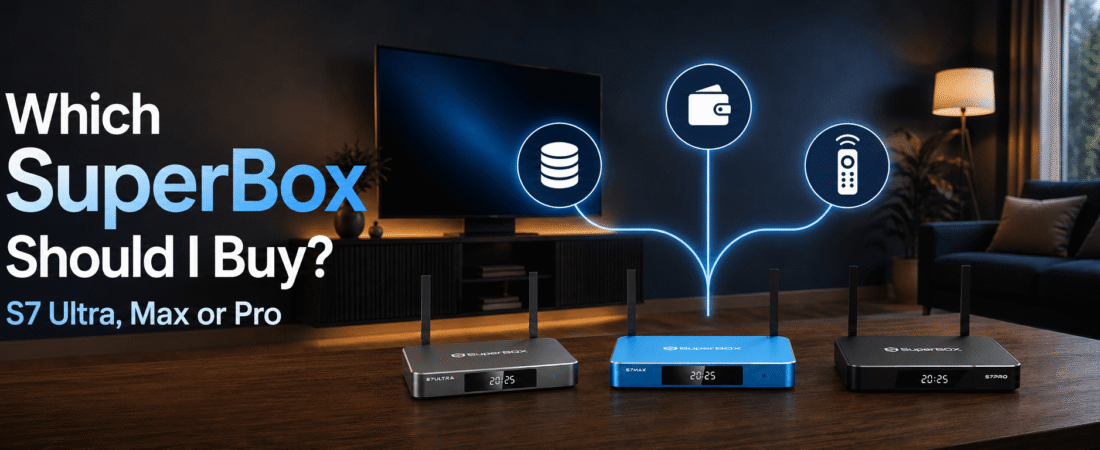
Compare the SuperBox S7 Ultra, S7 Max and S7 Pro
The three current SuperBox S7 models share the same basic platform, including 4GB of memory, Android 12, Wi-Fi 6 support, Gigabit Ethernet and high-resolution video decoding. The main differences are internal storage, remote design and purchase price.
| Model | Storage | Remote | Current listed price | Best for |
|---|---|---|---|---|
| SuperBox S7 Ultra | 128GB | Backlit voice remote | $449 | Premium use and maximum storage |
| SuperBox S7 Max | 64GB | Full-size voice remote | $399 | Most households |
| SuperBox S7 Pro | 32GB | Voice-command remote | $359 | Budget-focused buyers |
Choose Your SuperBox S7 Model by Priority
Choose the SuperBox S7 Ultra for maximum convenience
The SuperBox S7 Ultra is the premium option in this comparison. Its 128GB storage is useful for buyers who want more room for compatible apps and future updates. The backlit voice remote is also practical if you often watch TV in a darker room.
Choose the Ultra when you prefer to buy the highest-storage configuration once and keep it for several years. The extra cost is harder to justify if you only use a small number of supported apps.
Choose the SuperBox S7 Max for the best balance
The SuperBox S7 Max is the natural middle choice. With 64GB of storage, it offers twice the capacity of the Pro while costing less than the Ultra. It also includes Wi-Fi 6, Gigabit Ethernet, voice control and the core S7 experience.
For a typical family room, guest room or everyday streaming setup, the S7 Max provides enough capacity without paying for storage you may never use.
Choose the SuperBox S7 Pro for the lowest price
The SuperBox S7 Pro is designed for buyers who want the current S7 platform at the lowest listed price. Its 32GB storage is suitable when you plan to use the built-in experience and only a limited number of compatible apps.
The Pro makes sense for a simple setup, a secondary TV or a budget-conscious buyer. Consider moving up to the Max if you want more flexibility for future use.
Match the SuperBox TV Box to Your Viewing Habits
For everyday family entertainment
The S7 Max is usually the most practical choice for a household that wants live TV, supported on-demand content and a straightforward interface. Its 64GB storage gives you useful room without moving into the highest price tier.
For multiple apps and long-term flexibility
The S7 Ultra is a better fit if you expect to install more compatible apps, keep more files locally or simply want the largest available storage option. It is also the strongest choice for viewers who value a backlit remote.
For a second television
The S7 Pro can work well as a lower-cost second SuperBox TV box when your requirements are simple. Remember that every room still needs a compatible display, power connection and internet access.
For a wired home network
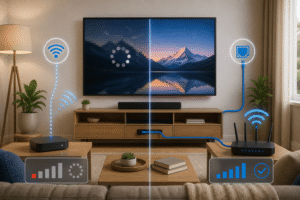
All three S7 models support Gigabit Ethernet. If your router is close to the television, a wired connection can reduce wireless interference and make troubleshooting easier. Wi-Fi 6 is convenient, but network conditions still affect playback.
Check These Details Before Buying a SuperBox
- Check your TV connection. Make sure the television or display has an available HDMI input and that you have a nearby power outlet.
- Choose storage based on real use. Select 32GB for simple use, 64GB for the best balance, or 128GB when you want maximum room.
- Think about remote usability. A backlit remote can be helpful in bedrooms, home theaters, and darker living rooms.
- Review network options. Use Wi-Fi when convenience matters, or Ethernet when the router is close enough for a stable wired connection.
- Review retailer policies. Confirm shipping, warranty, return terms, and the support contact before completing payment.
- Use supported and lawful services. App availability, channels, playback features, and third-party services can vary by provider, software version, and region.
A SuperBox is a hardware device, not a guarantee that every application or online service will always be available. Third-party apps and content are controlled by their respective providers, so review the applicable terms and use the device lawfully.
For installation help after purchase, follow the step-by-step SuperBox installation guide. It covers HDMI connection, Wi-Fi or Ethernet setup, remote pairing, and common first-use problems.
If you want a more detailed side-by-side breakdown, read the existing SuperBox S7 Ultra vs S7 Max vs S7 Pro comparison before making your final choice.
Final Recommendation: Start with the SuperBox S7 Max
For most people asking “which SuperBox should I buy?”, the answer is the SuperBox S7 Max. It offers a sensible middle ground with 64GB storage, strong connectivity, and the current S7 platform.
Choose the S7 Ultra if maximum storage and a backlit remote are important to you. Choose the S7 Pro when the lowest purchase price is the deciding factor. Whichever model you select, compare the complete product details and retailer policies before ordering from the SuperBox Official Store.
FAQ
Which SuperBox is best for most people?
The SuperBox S7 Max is the best overall choice for most households because it balances 64GB storage, connectivity, and price.
What is the difference between the S7 Ultra and S7 Max?
The S7 Ultra has 128GB storage and a backlit voice remote. The S7 Max has 64GB storage and a standard voice remote.
Is the SuperBox S7 Pro worth buying?
Yes, the S7 Pro is a reasonable choice when price is the main priority and 32GB storage is enough for your expected use.
Does more storage make a SuperBox faster?
Not necessarily. Storage mainly provides more room for compatible apps, updates, and files. Everyday speed also depends on the hardware, software, and network.
Can I connect a SuperBox with Ethernet?
Yes. The current S7 models support Gigabit Ethernet, which can be useful when your router is near the television.
What TV do I need for a SuperBox TV box?
You need a compatible television or display with an available HDMI input, a power outlet, and an internet connection. Actual playback depends on the complete setup.
Ready to Buy Your SuperBox?
Upgrade your home entertainment with the latest SuperBox models. Choose the version that fits your needs and enjoy smoother performance, convenient smart features, and an easy-to-use viewing experience.