
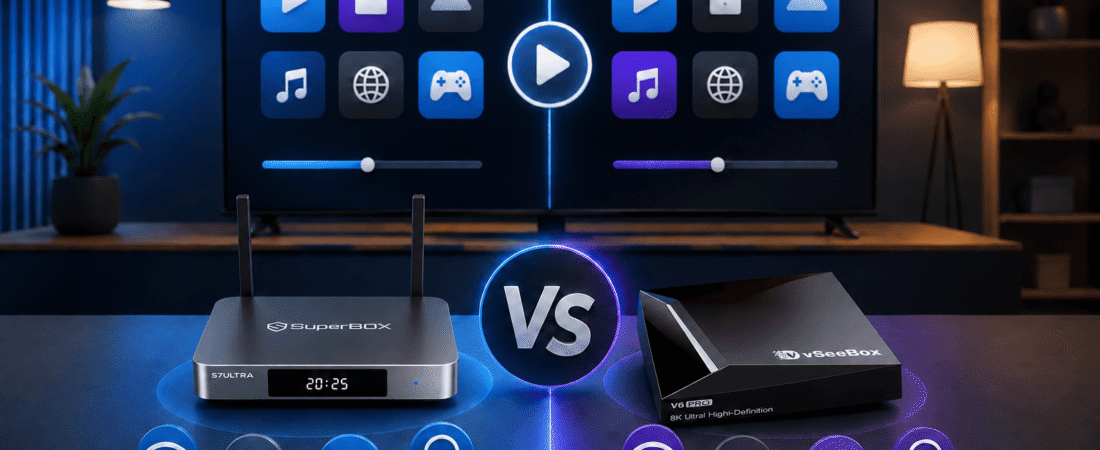
Before making a decision, you can review the available models on the SuperBox home page or compare the current S7 products directly through the retailer’s product listings.
Contents
Quick Answer: Should You Buy SuperBox or vSeeBox?
- Choose SuperBox S7 Max for the best balance of storage, connectivity and price.
- Choose SuperBox S7 Ultra for 128GB storage and a backlit voice remote.
- Consider vSeeBox if a specific model’s multiview or software feature is more important to you than the overall support experience.
- Compare the seller carefully. Warranty, returns, delivery and technical support can vary significantly between retailers.
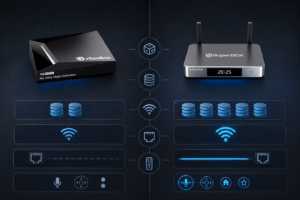
Compare SuperBox vs vSeeBox at a Glance
Both SuperBox and vSeeBox are Android-based streaming TV box brands. However, the exact specifications and included software can differ by model and retailer. For that reason, compare the exact product listing rather than relying only on the brand name.
| Category | SuperBox S7 Series | vSeeBox | What buyers should check |
|---|---|---|---|
| Current models | S7 Ultra, S7 Max and S7 Pro | Model names and versions vary | Compare the exact model, not only the brand |
| Memory and storage | 4GB memory; 32GB, 64GB or 128GB storage | Varies by model and listing | Choose storage based on apps and future use |
| Wireless connection | Dual-band Wi-Fi with Wi-Fi 6 support | Varies by model | Check Wi-Fi standard and router compatibility |
| Wired connection | Gigabit Ethernet support | Varies by model | Ethernet is useful for stable playback |
| Playback tools | Voice control and compatible Time Shift features | Some listings emphasize multiview or replay tools | Verify the feature is included on your model |
| Retailer support | Published warranty, returns and support channels | Depends on the seller | Review the actual warranty and return policy |
Specifications, software functions and availability can change. Always review the product page and checkout information before purchasing.
Compare Hardware and Connectivity Before Buying
SuperBox S7 Ultra: premium storage and remote convenience
The SuperBox S7 Ultra is the premium model in the current S7 range. It combines 4GB of memory with 128GB of eMMC storage, dual-band Wi-Fi 6, Gigabit Ethernet and Android 12.
The biggest advantages are the larger storage capacity and backlit voice remote. The extra storage gives you more room for compatible apps, updates and local files. The illuminated buttons are also useful for bedrooms and darker home theater environments.
The S7 Ultra is a good fit for buyers who prefer to pay more for the most complete configuration instead of upgrading later.
SuperBox S7 Max: the balanced everyday option
The SuperBox S7 Max offers 4GB of memory and 64GB of storage. It keeps the main S7 platform, Wi-Fi 6, Gigabit Ethernet, voice control and high-resolution video decoding while sitting below the Ultra in price.
For many homes, 64GB is enough for a comfortable mix of compatible apps and future updates. The S7 Max is especially suitable for families who want a dependable SuperBox S7 TV box without paying for the maximum storage option.
When comparing SuperBox S7 Max vs vSeeBox, focus on the complete ownership experience instead of only comparing Android versions or advertised processor specifications.
Where vSeeBox may appeal to certain buyers
Some vSeeBox listings highlight features such as newer Android versions, different app layouts or multiview playback. These features may appeal to sports viewers or users who want to experiment with a different interface.
However, vSeeBox model specifications can vary between versions and sellers. Confirm memory, storage, Ethernet speed, remote features and software support for the exact model you are considering.
Compare Apps, Playback and Daily Usability
Hardware specifications do not tell the whole story. A streaming box is used through its interface, apps, search tools, remote and playback controls. Small differences in navigation can become important when the device is used every day.
App organization and search
The SuperBox S7 interface is designed around clear navigation, search, favorites and recently viewed content. Voice-command support can make it easier to find content without typing long titles with an on-screen keyboard.
vSeeBox uses its own software and app structure. Some users may prefer its organization, while others may prefer the simpler layout of a SuperBox S7 TV box. The best choice depends on which interface feels easier for your household.
Live TV, on-demand playback and Time Shift
SuperBox models are commonly chosen by buyers who want live TV, on-demand content and a single device for everyday entertainment. The current S7 platform also supports Time Shift features in compatible software and programming.
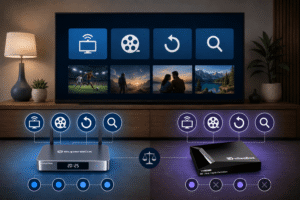
Some vSeeBox models promote multiview or replay functions. These can be useful for watching several events at once, but availability depends on the exact model, app and service. Do not assume that a feature shown in one vSeeBox listing is included in every version.
Channel and content expectations
If channel variety is important to you, review the current SuperBox channel list and check which models and services are supported.
Channel availability, app access and third-party content can depend on the provider, software version, region and network. A streaming box does not guarantee permanent access to every online service.
Different names can create confusion
Some online searches use variations such as “vSee box””VC box” or “Veesee box”. Similar spellings do not always identify the same model or seller. Check the exact product name, specifications, warranty and retailer information before placing an order.
Compare Support, Warranty and Seller Trust
Support is one of the most important differences between streaming box sellers. A device may have good hardware, but buyers still need help with setup, Wi-Fi, remote pairing, app problems, returns or warranty questions.
The SuperBox retailer site publishes support guidance, a one-year retailer warranty and a 30-day return request window for eligible orders. Delivery estimates and policy terms should still be checked before checkout.
When evaluating vSeeBox, review the seller’s support contact, warranty length, return conditions and replacement process. A product page without clear support information deserves additional caution. A trustworthy retailer should clearly identify what it sells, how customers can request help, what the warranty covers and which issues are handled by the retailer versus a third-party app provider.
For setup questions, the SuperBox installation guide explains HDMI connection, Wi-Fi or Ethernet setup, remote pairing and common first-use problems.
Which SuperBox S7 Model Should You Buy?
Choose SuperBox S7 Ultra if you want premium convenience
- 128GB storage
- Backlit voice remote
- Wi-Fi 6 and Gigabit Ethernet
- More room for compatible apps and updates
The S7 Ultra is best for buyers who want the highest-storage S7 configuration and easier remote use in low-light rooms.
Choose SuperBox S7 Max for the best overall balance
- 64GB storage
- 4GB memory
- Wi-Fi 6 and Gigabit Ethernet
- Voice-command support
The S7 Max is the most practical choice for most households because it offers useful storage without the full premium price.
Choose vSeeBox only for a specific feature advantage
- You prefer a particular vSeeBox interface
- You need a verified multiview function
- The exact model has stronger support for your setup
- The seller provides clear warranty and return information
Do not choose based only on a newer Android version. Confirm the complete experience and the retailer’s support quality.
If you want a detailed breakdown of storage, price and remote differences, read the existing SuperBox S7 Ultra vs S7 Max vs S7 Pro comparison.
The current SuperBox S7 Series is also available through the main SuperBox product collection.
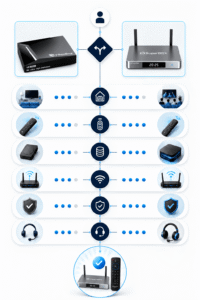
Final Verdict: SuperBox S7 Max or S7 Ultra?
For most buyers comparing SuperBox vs vSeeBox, the SuperBox S7 Max is the safest all-around recommendation. It offers enough storage for typical household use, strong wired and wireless connectivity and a straightforward S7 interface.
The SuperBox S7 Ultra is the better upgrade when you want 128GB storage, a backlit remote and the most complete S7 configuration. Both models are strong choices for buyers who value simple setup, clear product information and published retailer support.
Before ordering, return to the SuperBox home page to review current availability and retailer policies.
FAQ
Is SuperBox better than vSeeBox?
SuperBox is a strong choice for buyers who value simple navigation, S7 hardware options, Wi-Fi 6, Gigabit Ethernet and clearly published retailer support. vSeeBox may appeal to buyers seeking a specific interface or multiview feature.
What is the difference between SuperBox S7 Ultra and S7 Max?
The S7 Ultra has 128GB storage and a backlit voice remote. The S7 Max has 64GB storage and offers a lower-cost balance of storage, connectivity and everyday features.
Is SuperBox S7 a good TV box?
The SuperBox S7 Series is suitable for buyers looking for an Android-based TV box with voice control, Wi-Fi 6, Gigabit Ethernet and multiple storage options. Actual playback depends on the display, network, apps and content provider.
Does vSeeBox have better playback features?
Some vSeeBox models promote multiview or replay features, but the exact functions vary by model and seller. Confirm the specific product listing before assuming a feature is included.
Which is better for families, SuperBox S7 Ultra or S7 Max?
The S7 Max is usually the better value for families. Choose the S7 Ultra if your household needs more storage or prefers the convenience of a backlit remote.
Do SuperBox and vSeeBox require internet?
Internet access is required for online apps, updates and internet-delivered services. Both Wi-Fi and Ethernet options may be available depending on the exact model.
What should I check before buying a SuperBox or vSeeBox?
Check the exact model, memory, storage, network ports, remote control, app availability, warranty, returns, delivery information and seller support contact.
Ready to Choose Your SuperBox S7?
Compare the premium SuperBox S7 Ultra and balanced SuperBox S7 Max before completing your order.