
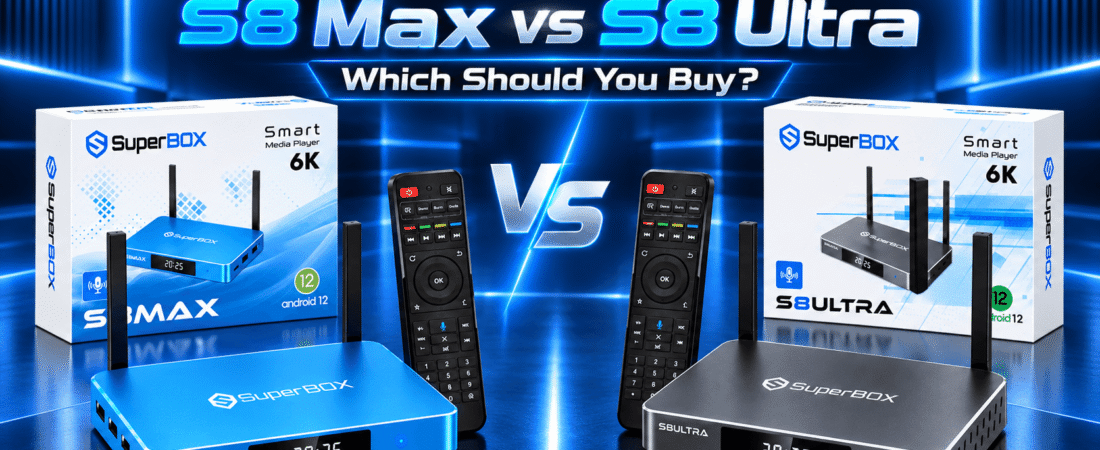
SuperBox S8 Ultra vs S8 Max comes down to a practical question: will you use the Ultra’s extra storage and backlit remote enough to justify paying more? These two S8 TV boxes share the same processor, graphics chip, RAM, operating system, and core viewing features. The meaningful differences are 128GB versus 64GB of storage, the remote, and a $50 price gap at the current listed prices.
This guide compares the SuperBox S8 Ultra and S8 Max specifications, everyday performance, connectivity, video playback, Multi-View, recording, remotes, and value. If you want a broader look at the lineup first, start with our SuperBox S8 buying guide.
SuperBox S8 Ultra vs S8 Max: Quick Comparison
The table highlights the shared hardware and the three differences that affect your purchase. Prices are the store’s listed prices at the time of this update and can change.
| Feature | SuperBox S8 Max | SuperBox S8 Ultra |
|---|---|---|
| Listed price | $399 | $449 |
| Internal storage | 64GB eMMC | 128GB eMMC |
| Included remote | Standard voice remote | Backlit voice remote |
| OS / RAM | Android 12.0 / 4GB DDR | Android 12.0 / 4GB DDR |
| CPU / GPU | Quad-core ARM Cortex-A53 / Mali-G31 MP2 | Quad-core ARM Cortex-A53 / Mali-G31 MP2 |
| Wireless / wired | Dual-band WiFi 6 / Gigabit Ethernet / Bluetooth 5.2 | Dual-band WiFi 6 / Gigabit Ethernet / Bluetooth 5.2 |
| Video capability | H.265 6K@60fps decoding; up to 4K playback | H.265 6K@60fps decoding; up to 4K playback |
| Viewing features | Full Channels Multi-View, picture-in-picture | Full Channels Multi-View, picture-in-picture |
| Recording / time shift | Built-in recording for supported content; up to 7-day time shift | Built-in recording for supported content; up to 7-day time shift |
On a phone, swipe across the table to see every specification.
Fast answer: Buy the S8 Max for the lower price and the same core hardware. Buy the S8 Ultra if twice the internal storage and a backlit remote are useful to you.
What Is the Difference Between SuperBox S8 Ultra and S8 Max?
The main difference between S8 Ultra and S8 Max is what comes around their shared platform. The Ultra has 128GB eMMC storage and a backlit voice remote; the Max has 64GB eMMC storage and a standard voice remote. The Ultra’s listed price is $449, compared with $399 for the Max.
They share Android 12.0, 4GB DDR RAM, a quad-core Cortex-A53 CPU, Mali-G31 MP2 graphics, WiFi 6, Gigabit Ethernet, Bluetooth 5.2, H.265 decoding, Multi-View, picture-in-picture, and the listed recording and time-shift features. That is why a SuperBox S8 models comparison should focus on your storage habits and remote preference, rather than assuming the model named Ultra has a faster processor. For a closer look at its positioning, see our S8 Ultra review.
SuperBox S8 Ultra vs S8 Max: 128GB vs 64GB Storage
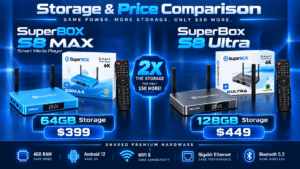
The SuperBox S8 Ultra offers 128GB of internal eMMC storage; the SuperBox S8 Max has 64GB. The extra room can be useful for compatible apps, their data, local files, and recordings of supported content. Actual free space is lower than the advertised capacity because the operating system and installed software use some of it.
Is 64GB enough? For many households primarily watching content and installing a modest set of apps, it can be. If you plan to keep a larger app collection, store local media, or regularly save supported recordings, the Ultra’s additional headroom is easier to justify. Our SuperBox S8 storage guide explains what fills a TV box and how to manage space.
In a 128GB vs 64GB TV box storage comparison, capacity is the key distinction. More capacity does not mean a faster CPU, more RAM, or automatically smoother video. Choose it for space, not for an unverified speed boost.
Performance Comparison: Is S8 Ultra Faster Than S8 Max?
On the published hardware specifications, there is no basis to call the Ultra the faster model. Both use the same quad-core ARM Cortex-A53 CPU, Mali-G31 MP2 GPU, 4GB DDR RAM, and Android 12.0. Their core platform for menu navigation, app switching, and supported video playback is the same.
Actual responsiveness can still depend on the app, software version, network quality, available storage, and what else is running. The Ultra’s larger capacity may help you avoid running short of space, but it is not a processor upgrade. For a wider assessment of the series, read our SuperBox S8 review and the practical S8 downsides to consider.
WiFi 6, Gigabit Ethernet, and Connectivity
Both boxes list dual-band WiFi 6, a 1000Mbps Ethernet port, and Bluetooth 5.2. There is no wireless or wired connectivity advantage listed for either one. WiFi keeps the setup flexible when the router is across the room; Ethernet gives you a direct connection when a cable is practical. Your real-world speed depends on the router, internet plan, signal, and network conditions.
If buffering or an inconsistent connection is your concern, read our WiFi versus Ethernet guide for S8 before paying more for storage. Both models also provide USB 3.0 and USB-C connectivity on their product specifications; check the relevant product listing for the ports you plan to use.
4K Playback and H.265 Video Decoding
Both S8 models list H.265 6K@60fps decoding and up to 4K playback. H.265, also called HEVC, is a video compression format. The decoding specification describes the hardware’s ability to process compatible video; it does not promise that every app or every program will be available in 4K.
For 4K viewing, the content, app, display, HDMI setup, and network must also support that resolution. The Max and Ultra have the same listed video capability, so the Ultra’s extra 64GB is not a picture-quality upgrade. If you are connecting to an older display, our S8 setup guide for older TVs covers the practical checks.
Multi-View and Picture-in-Picture
Full Channels Multi-View and picture-in-picture are listed for both the S8 Max and S8 Ultra. Multi-View lets you display multiple supported views in one layout; picture-in-picture places a smaller view over a larger one. Those layouts can be handy when following two events or keeping a smaller view on screen while watching another.
The available layouts and sources depend on the supported app and content. Neither product page presents Multi-View as an Ultra-only feature. If your home has more than one display, our guide to using S8 with two TVs addresses that separate setup question.
Built-in Recording and 7-Day Time Shift
Both models list built-in recording for supported content and up to 7-day time shift. Recording saves eligible content for later viewing; time shift lets you move within available previously aired programming where the feature is supported. Availability can vary by app, channel, and content, so check what you actually watch rather than assuming every program can be recorded.
For someone who frequently uses supported recording, the Ultra’s 128GB can provide more internal space before storage management becomes necessary. A lighter user may be comfortable with the Max’s 64GB. The feature itself is shared; the storage headroom differs. Our Blue TV guide explains more of the viewing interface, while our Blue TV and Blue VOD setup walkthrough helps with initial setup.
SuperBox S8 Ultra vs S8 Max Remote Control Comparison
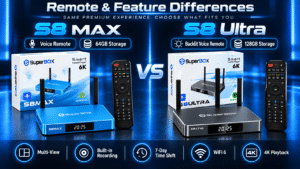
The S8 Ultra includes a backlit voice remote. Its illuminated buttons can be easier to locate in a dim room. The S8 Max includes a standard voice remote without the Ultra’s listed backlighting. Both offer voice command, so choosing the Max does not mean giving up voice control.
Whether the remote is worth part of the $50 upgrade is personal. If you regularly watch with the lights down, the Ultra’s remote may make daily use more comfortable. If you rarely look down at the buttons, the Max’s remote may be all you need. See our S8 remote pairing instructions for setup details.
SuperBox S8 Max: Who Should Buy It?
The S8 Max product page is the right starting point if you want the shared S8 hardware at the lower listed price of $399. It makes sense for households that primarily use everyday viewing features, expect 64GB to cover their apps and files, and do not need illuminated remote buttons.
It is also the better value if you want Multi-View, picture-in-picture, supported recording, and voice control without paying for storage you are unlikely to use. For a simple household setup, our S8 guide for parents may help you plan the interface and remote.
SuperBox S8 Ultra: Who Should Buy It?
The S8 Ultra product page is the better fit if you specifically want 128GB of internal storage and a backlit voice remote. Its added room is relevant for a larger collection of compatible apps, local files, or frequent recordings of supported content. The backlit buttons are a useful comfort feature for darker rooms.
At $449, it is the top storage configuration of these two models, while keeping the same listed CPU, GPU, RAM, and connectivity as the Max. If you are preparing the Ultra for first use, follow our S8 Ultra unboxing and setup guide.
Is SuperBox S8 Ultra Worth the Extra Money?
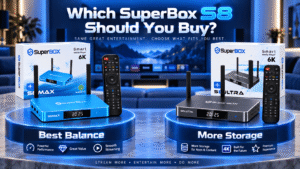
At the current listed prices, the Ultra costs $50 more than the Max. That extra money primarily buys another 64GB of internal storage and the backlit voice remote. It does not buy a different listed processor, GPU, RAM capacity, WiFi generation, or video decoder.
If you know you will use the space or appreciate the illuminated buttons each night, the upgrade is reasonable. If your app collection is small and the standard voice remote suits you, the Max is the stronger price-to-feature choice. Check the current listing, shipping, returns, and retailer warranty before ordering; both product listings currently describe free US shipping, a one-year retailer warranty, and a 30-day return policy. Our where-to-buy guide offers more retailer checks.
Frequently Asked Questions About SuperBox S8 Ultra and S8 Max
What are the main differences between S8 Ultra and S8 Max?
The Ultra has 128GB storage and a backlit voice remote for a listed $449. The Max has 64GB and a standard voice remote for a listed $399. Their listed core processing and viewing features are shared.
Is SuperBox S8 Ultra faster than S8 Max?
Not on the published CPU, GPU, and RAM specifications: both have the same quad-core Cortex-A53 processor, Mali-G31 MP2 GPU, and 4GB RAM. More storage is extra capacity, not a processor-speed claim.
Is 64GB enough for SuperBox S8 Max?
It can be enough for everyday viewing and a modest app collection. Choose 128GB if you expect to keep more compatible apps, local files, or supported recordings on the box.
How much storage does SuperBox S8 Ultra have?
It lists 128GB of internal eMMC storage, compared with 64GB for the S8 Max. Some advertised capacity is used by the system and preinstalled software.
Do both S8 models support 4K playback?
Yes. Both list up to 4K playback and H.265 6K@60fps decoding. The actual resolution depends on compatible content, the app, your TV, and the connection.
Do both models support Multi-View and picture-in-picture?
Yes. Both product listings include Full Channels Multi-View and picture-in-picture. The available views depend on the supported source or app.
Does the SuperBox S8 Max have a backlit remote?
No. The Max lists a standard voice remote. The Ultra lists a backlit voice remote; both support voice commands.
Can both models record and use 7-day time shift?
Both list built-in recording for supported content and up to 7-day time shift. Availability varies with the content and app; the Ultra’s advantage is extra room for saved material.
Is SuperBox S8 Ultra worth $50 more?
Yes if the extra 64GB and backlit remote solve needs you actually have. If they do not, the Max offers the same listed core hardware and viewing features for less.
Which SuperBox S8 should I buy for home entertainment?
Choose the Max for value and everyday use. Choose the Ultra for more internal storage and a remote that is easier to use in low light. Both share the key connectivity and video specifications.
Final Verdict: SuperBox S8 Ultra vs S8 Max — Which One Should You Choose?
The S8 Max is the practical choice for most buyers who want the shared S8 features at the lower price. The S8 Ultra is the better match when 128GB of storage or a backlit remote is worth the extra $50 to your household. Neither choice requires compromising on the listed CPU, RAM, WiFi 6, Gigabit Ethernet, 4K capability, Multi-View, or voice command.
Compare the current listings directly, then choose the model that fits how you actually use a TV box. You can also browse the full lineup at our SuperBox online store.
Special Offer: Get 10% OFF Your Entire Order!
Ready to upgrade your home entertainment experience?
Use coupon code SP10 at checkout to enjoy 10% OFF any product across our entire website.
Whether you choose the SuperBox S8 Ultra, S8 Max, or another SuperBox model, you can save 10% on your purchase with this exclusive discount code.
Coupon Code: SP10