
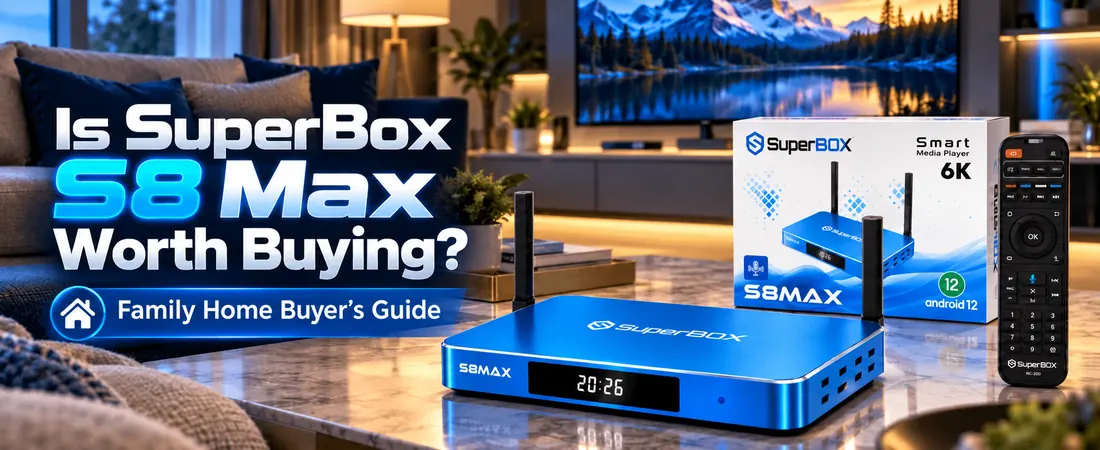
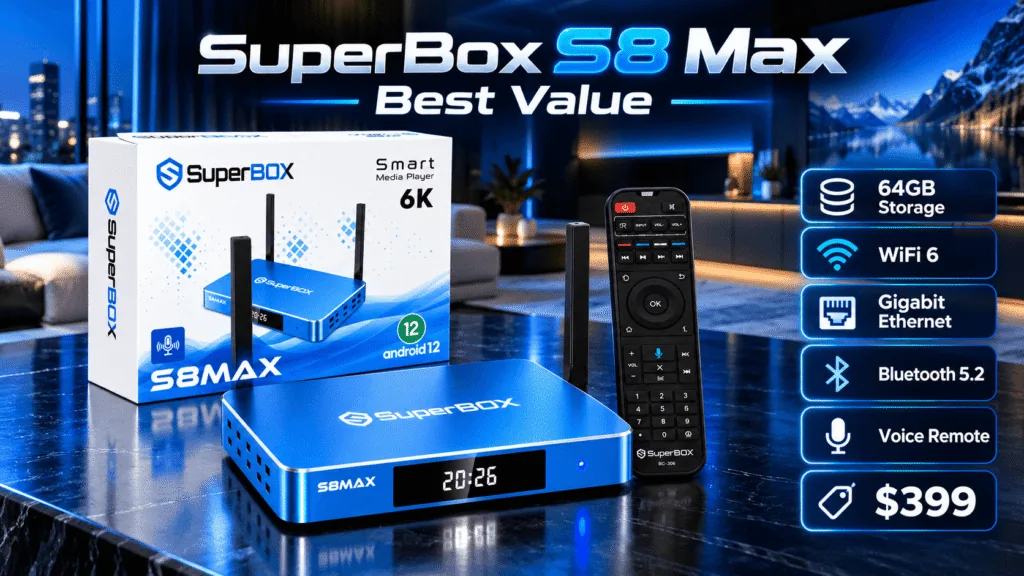
SuperBox S8 Max Review: This model pairs Android 12.0, 4GB DDR RAM, and 64GB eMMC storage with WiFi 6, Gigabit Ethernet, a standard voice remote, and viewing tools such as Multi-View, picture-in-picture, supported recording, and up to seven-day time shift. At the current $399 listing, it sits between the lower-priced SuperBox S8 Plus and the 128GB SuperBox S8 Ultra.
This review examines the published specifications, what those features mean for a shared U.S. living room, app and channel questions, setup, and the trade-offs behind the price. It is an editorial assessment of verified product information and practical use cases; it does not claim hands-on benchmark results or long-term reliability measurements. Explore the SuperBox S8 collection or shop the current models as you compare. If you are new to the brand, our guide to what SuperBox is and how it works covers the basics.
SuperBox S8 Max Specifications: What You Need to Know
The SuperBox S8 Max specifications below come from the current SuperBox S8 Max product listing. A decoder rating describes compatible video processing, while the playback resolution depends on the content, app, display, and connection.
| Specification | SuperBox S8 Max |
|---|---|
| Operating system | Android 12.0 |
| Processor / GPU | Quad-core ARM Cortex-A53 / Mali-G31 MP2 |
| RAM / internal storage | 4GB DDR / 64GB eMMC |
| Wireless / Ethernet | Dual-band WiFi 6 / 1000Mbps Gigabit Ethernet |
| Bluetooth | Bluetooth 5.2 |
| Video decoding / playback | H.265 6K@60fps decoder / up to 4K playback on compatible content and displays |
| Included remote | Standard, non-backlit voice command remote |
| Ports and connections | HDMI, LAN, USB 3.0, USB-C, TF, AV, SPDIF, IR, restore, and power input |
| Viewing features | Full Channels Multi-View, picture-in-picture, built-in recording for supported content, and up to seven-day time shift |
On a phone, swipe across the table to see both columns. The listed 64GB is total internal capacity; Android and installed software use part of it. Our SuperBox S8 storage guide explains how apps, local files, and eligible recordings affect free space.
SuperBox S8 Max Design and Build Quality
The SuperBox S8 Max has a blue, compact TV box body with two upright antennas, a front display, and a matching standard voice remote. The product gallery shows the box, remote, and packaging clearly. Its footprint is easier to place near a television than a full-size component, though you should leave space for the antennas, power cable, HDMI cable, and ventilation.
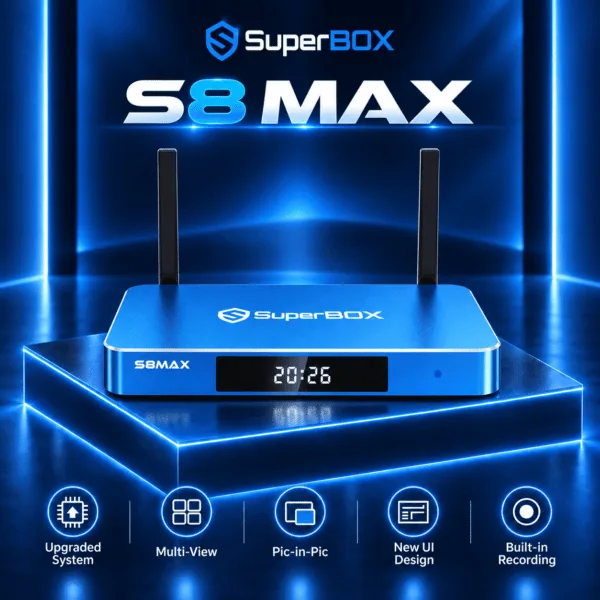
HDMI connects the box to your TV; LAN, USB 3.0, USB-C, TF, AV, SPDIF, and other listed connections provide setup options for compatible equipment. Check your TV and accessory ports before buying. The remote is full-size and supports voice commands, but its buttons are not backlit. Our SuperBox S8 Max unboxing guide shows the package and first setup steps.
The available product photos establish the layout and appearance. They do not, by themselves, prove long-term durability, button life, or measured operating temperature, so this review does not assign a laboratory build-quality score.
SuperBox S8 Max Performance and Everyday Experience
The SuperBox S8 Max combines a quad-core ARM Cortex-A53 processor, Mali-G31 MP2 graphics, 4GB DDR RAM, and Android 12.0. These are the published hardware specifications, not benchmark scores. They support the product’s redesigned home interface, app navigation, voice controls, and compatible viewing features, but real app-loading and switching times depend on the software and its current state.
For a shared family TV, the more useful question is whether the feature mix fits ordinary routines. Different family members can move between live viewing, on-demand choices, and supported playback functions without needing separate boxes. The standard voice remote may be simpler for someone who dislikes typing with directional buttons. Parental-control settings can help manage supported access for children, although parents should review the actual app and content settings themselves.
Available storage, network quality, background activity, app compatibility, and updates can all affect responsiveness. We have not measured frame rates, startup times, or long-term stability, so this SuperBox S8 Max performance assessment avoids invented speed claims. For a wider view of trade-offs across the generation, read our SuperBox S8 review and practical downsides checklist.
SuperBox S8 Max 4K Playback and H.265 Video Decoding
The device lists up to 4K playback on compatible content and displays, plus H.265 decoding rated up to 6K at 60 frames per second. H.265, also called HEVC, is a compression format that can deliver video efficiently when the source and app support it. The 6K figure is a decoder specification, not a promise that the box outputs every program in 6K or that all streaming services supply 4K.
Picture quality also depends on the TV, HDMI setup, the source’s resolution and bitrate, the app, and the connection. If you have an older television, our SuperBox S8 older-TV checklist covers compatibility questions. For a deeper explanation of the marketing numbers, see SuperBox S8 Max 6K versus 4K.
SuperBox S8 Max Multi-View and Picture-in-Picture
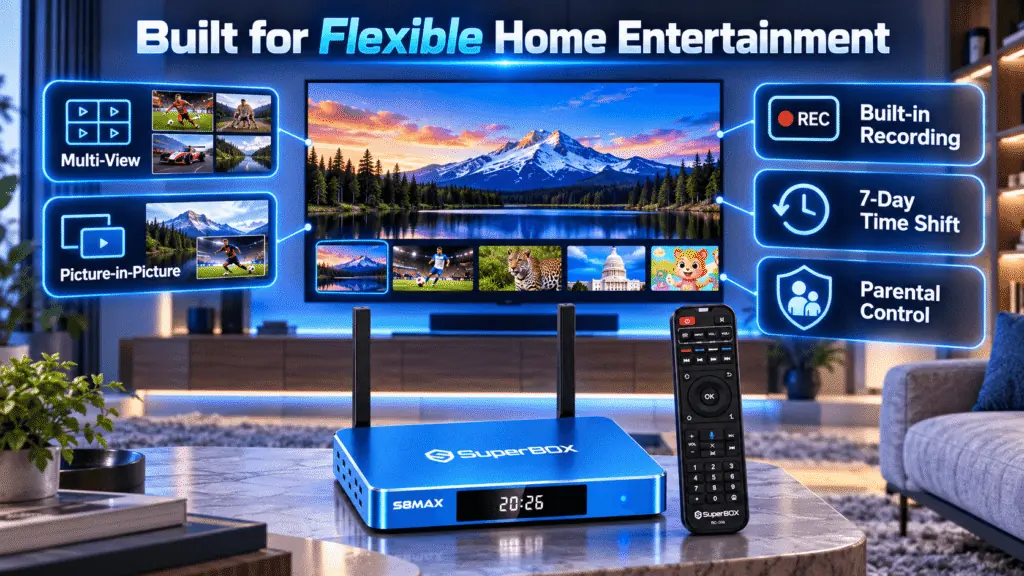
Full Channels Multi-View is a key reason to consider this model over lower S8 configurations. It can place multiple supported views in one layout, while picture-in-picture keeps a smaller view visible over a main picture. A sports-focused household, for example, may want to follow two eligible events without fully switching away from one of them.
Available views, channels, and layouts depend on the app, content, and software version. This is a feature to verify with the programs you actually use, not a guarantee that any two sources can run together. Multi-View also does not replace a second TV or a second box; our SuperBox S8 two-TV guide explains that separate question.
SuperBox S8 Max Built-in Recording and 7-Day Time Shift
Family schedules rarely line up with every live program. The SuperBox S8 Max lists built-in recording for supported content and up to seven-day time shift on eligible programming. Recording saves a supported program for later playback; time shift lets you return to an available earlier point in a live or recently aired program. They solve related but different scheduling problems.
The exact content that can be recorded or shifted depends on the app, channel, rights, and software. Do not assume that every program can be saved. Recordings also consume storage, so a household that keeps many files should weigh the 64GB limit. The SuperBox S8 Ultra versus SuperBox S8 Max comparison explains when the Ultra’s 128GB may be worth its extra cost.
For someone mainly watching one program at a time, these tools may be less important than the network and remote. For sports or family members who arrive home at different times, they can be more useful than a higher storage number alone.
SuperBox S8 Max WiFi 6 and Connectivity
Dual-band WiFi 6 gives the SuperBox S8 Max a wireless option; the 1000Mbps Gigabit Ethernet port allows a wired connection. Bluetooth 5.2 is listed for compatible accessories. Ethernet is often the simpler choice when the router is close to the TV; WiFi avoids a cable across the room. Neither connection guarantees a particular streaming speed, because the router, internet plan, congestion, and source also matter.
Use the HDMI connection for a compatible TV input, then choose WiFi or Ethernet during setup. The listed USB 3.0, USB-C, TF, AV, SPDIF, and IR connections broaden equipment options, but accessory support should be confirmed for the exact device and software. Our SuperBox S8 WiFi versus Ethernet guide helps troubleshoot the more common network choice.
SuperBox S8 Max Apps and Channel Availability
The product lineup describes SuperBox apps including Blue TV and Blue VOD, with a store-style interface for supported entertainment features. Exact apps, channels, languages, and catalogs can change by software version, region, service, and rights. A device feature is not a guarantee that a particular program or channel will remain available. Check the current SuperBox channel list for the store’s published overview before ordering.
If a specific app matters to you, verify it against the current product listing and the app provider. The SuperBox S8 Max product page does not establish universal Google Play Store compatibility or certification, and Android 12 alone is not proof that every Play Store app works. Likewise, a compatible third-party APK may install, but sideloading from unknown sources creates security and support risks. Our SuperBox S8 app-store troubleshooting guide explains safer checks.
For a practical look at the built-in viewing apps, our Blue TV and Blue VOD setup guide and Blue TV feature guide offer more detail. Internet service and any third-party paid subscriptions remain separate from the box purchase.
SuperBox S8 Max Setup and Installation
- Place the SuperBox S8 Max near the TV with space for its antennas and cables.
- Connect HDMI to a compatible TV input and attach the supplied power equipment.
- Select that HDMI input on the TV and follow the on-screen first-run prompts.
- Connect to WiFi or plug in Ethernet, then check for available software updates through the device’s own settings.
- Pair the voice remote if prompted and open the supported apps you intend to use.
These are general setup steps based on the product listing; menu names may change with software updates. The detailed SuperBox S8 Max installation walkthrough covers first use, and our SuperBox S8 remote pairing guide helps when voice control is not ready. If the box has picture but no sound, check our audio troubleshooting steps.
SuperBox S8 Max Pros and Cons
SuperBox S8 Max advantages
- 4GB DDR RAM and 64GB eMMC storage at the current $399 listed price.
- WiFi 6, Gigabit Ethernet, and Bluetooth 5.2 connection choices.
- Up to 4K playback and H.265 decoding for compatible video.
- Full Channels Multi-View, picture-in-picture, supported recording, and time shift.
- Redesigned interface, parental-control settings, and an included voice remote.
SuperBox S8 Max limitations to consider
- 64GB may feel tight for a large app library or frequent supported recordings; the SuperBox S8 Ultra offers 128GB.
- The standard voice remote is not backlit.
- App compatibility, channel availability, recording eligibility, and actual video quality depend on software, content, region, and network conditions.
- No independent benchmarks or long-term reliability measurements are available for this review.
These pros and cons describe documented features and practical limits. They are not a claim that every household will see the same performance or content library.
Who Should Buy SuperBox S8 Max?
The SuperBox S8 Max is a good fit for a household looking for a versatile main-TV setup rather than the lowest-priced box. Families can benefit from a standard voice remote and parental-control settings; sports viewers may value Multi-View; people with changing schedules may use eligible recording and time shift. The combination of WiFi 6 and Ethernet gives the TV area two practical network options.
It is less compelling if you need a verified app that the product listing cannot confirm, if 64GB is clearly too small, or if a backlit remote is a priority. Before buying, compare your actual apps and viewing habits with the SuperBox S8 Max specifications and current offer. Our family setup guide for SuperBox S8 can help if the box will be shared by different ages.
SuperBox S8 Max vs Other SuperBox Models
Within the current S8 range, the SuperBox S8 Pro lists 32GB storage, while the SuperBox S8 Plus and SuperBox S8 Max list 64GB. The Max’s product comparison highlights Full Channels Multi-View, while the Plus and Pro list more limited eligible multi-viewing. The SuperBox S8 Ultra moves to 128GB and adds a backlit voice remote, but shares the Max’s published core processor, graphics, and RAM specifications.
That makes the Max a middle choice for people who want more viewing flexibility without paying for the Ultra’s extra storage and remote. For model-specific details, see our SuperBox S8 Max versus SuperBox S8 Plus comparison and the SuperBox S8 Pro versus SuperBox S8 Max guide. Existing S7 owners can start with what changed from SuperBox S7 to SuperBox S8 instead of assuming an upgrade is necessary.
Is SuperBox S8 Max Worth Buying in 2026?
At the current listed price of $399, the SuperBox S8 Max offers a balanced set of specifications for homes that will actually use its viewing features. The 4GB RAM and 64GB storage, WiFi 6 and Ethernet, 4K capability, Full Channels Multi-View, voice remote, supported recording, and time shift form the value case. The published product page also lists free U.S. shipping, a one-year retailer warranty, and 30-day returns; review the current terms at checkout.
The value case weakens if you only need basic streaming or require a specific app that has not been verified. Extra storage on the Ultra is valuable for capacity, not a faster processor. If you want an authorized seller checklist, read where to buy SuperBox S8 safely. This SuperBox S8 Max buying recommendation rests on the listed features and your own needs, not an invented hands-on score.
Frequently Asked Questions About SuperBox S8 Max
Is SuperBox S8 Max worth buying?
It can be a worthwhile choice if you will use its Full Channels Multi-View, voice remote, supported recording, and flexible WiFi or Ethernet connection. The current $399 price places it below the SuperBox S8 Ultra. Compare the current app and channel information with your own viewing needs before deciding.
What are the specifications of SuperBox S8 Max?
Its listed core hardware is Android 12.0, a quad-core ARM Cortex-A53 processor, Mali-G31 MP2 graphics, 4GB DDR RAM, and 64GB eMMC storage. Connectivity includes dual-band WiFi 6, Gigabit Ethernet, and Bluetooth 5.2. The product page also lists H.265 6K@60fps decoding and up to 4K playback on compatible content.
How much RAM and storage does SuperBox S8 Max have?
The box has 4GB DDR RAM and 64GB eMMC internal storage. RAM supports running software, while storage holds the system, compatible apps, data, local files, and eligible recordings. Actual free space is less than 64GB because installed software takes some capacity. More storage does not make the processor faster.
Does SuperBox S8 Max support 4K playback?
Yes, the current product listing says up to 4K playback on compatible content and displays. It separately specifies H.265 decoding up to 6K at 60fps. These are different claims: decoder capability does not guarantee a 6K output or 4K availability in every app. Your TV, source, and connection also matter.
Does SuperBox S8 Max support WiFi 6?
Yes. It lists dual-band WiFi 6 and a 1000Mbps Ethernet port. WiFi is convenient when the router is elsewhere; Ethernet is a direct wired option when a cable is practical. Neither number is a guaranteed internet speed. Router capability, signal, congestion, and the connection to the content source determine the real experience.
What apps are available on SuperBox S8 Max?
The product lineup describes built-in SuperBox entertainment apps such as Blue TV and Blue VOD. Availability and features can change with firmware, region, and content rights. The listing does not prove universal Google Play Store certification or compatibility with every third-party app. Check any must-have app before purchasing and use trusted installation sources.
What channels are available on SuperBox S8 Max?
Channel catalogs can change, so no static review can guarantee a fixed lineup. Use the store’s current SuperBox channel-list page as a starting point, then confirm any must-have channel or event with the seller. Availability can depend on the app, region, software, and rights to specific content.
Does SuperBox S8 Max have Multi-View?
Yes. The product page lists Full Channels Multi-View and picture-in-picture. Multi-View can place multiple supported views on screen; picture-in-picture keeps a smaller view over a main one. The exact layouts and usable sources depend on the app and content. It should not be read as a promise that any pair of programs can play together.
Does SuperBox S8 Max support built-in recording?
Yes, recording is a listed feature for supported content. Saved programs use internal space, so how often you record affects whether 64GB is enough. The availability of recording depends on the app, channel, and content; it should not be assumed for every live or on-demand program. Check your regular viewing sources first.
What is seven-day time shift on SuperBox S8 Max?
Time shift is a playback feature that can let you return to eligible live or recently aired programming for up to seven days. It differs from recording, which saves supported content as a file for later viewing. The actual time-shift window and available programs depend on the app or channel. The feature is not universal across all sources.
How do I set up SuperBox S8 Max?
Connect the box to a compatible TV by HDMI, attach the supplied power equipment, select the correct TV input, and follow the device’s on-screen prompts. Choose WiFi or Ethernet, check for available updates, and pair the included voice remote if required. The exact menus may change; use the current setup guide for detailed steps.
Where can I buy SuperBox S8 Max?
Check the SuperBox S8 Max product page for the current price, availability, shipping, returns, and retailer warranty. The store currently lists it at $399. Confirm the final terms at checkout, and compare seller authorization and support rather than relying on a headline price alone.
Final Verdict: Is SuperBox S8 Max Right for You?
The SuperBox S8 Max is a feature-rich middle option in the current SuperBox S8 lineup: Android 12, 4GB RAM, 64GB storage, WiFi 6, Gigabit Ethernet, a standard voice remote, and supported Multi-View, picture-in-picture, recording, and time shift. Its strongest use case is a shared living room where people actually use those viewing tools and want both wired and wireless connectivity.
Consider the 64GB limit, non-backlit remote, and uncertain compatibility of any must-have app before buying. If those fit your needs, view the current SuperBox S8 Max product details; you can also return to the SuperBox U.S. store to compare the full lineup.
Special Offer: Get 10% OFF Your Entire Order!
Ready to upgrade your home entertainment experience?
Use coupon code SP10 at checkout to enjoy 10% OFF any product across our entire website.
Whether you choose the SuperBox S8 Max, SuperBox S8 Ultra, or another SuperBox model, you can save 10% on your purchase with this exclusive discount code.
Coupon Code: SP10